
Monitor employee work hours and stay compliant with labor laws using the most robust and user-friendly time tracking software on the market.
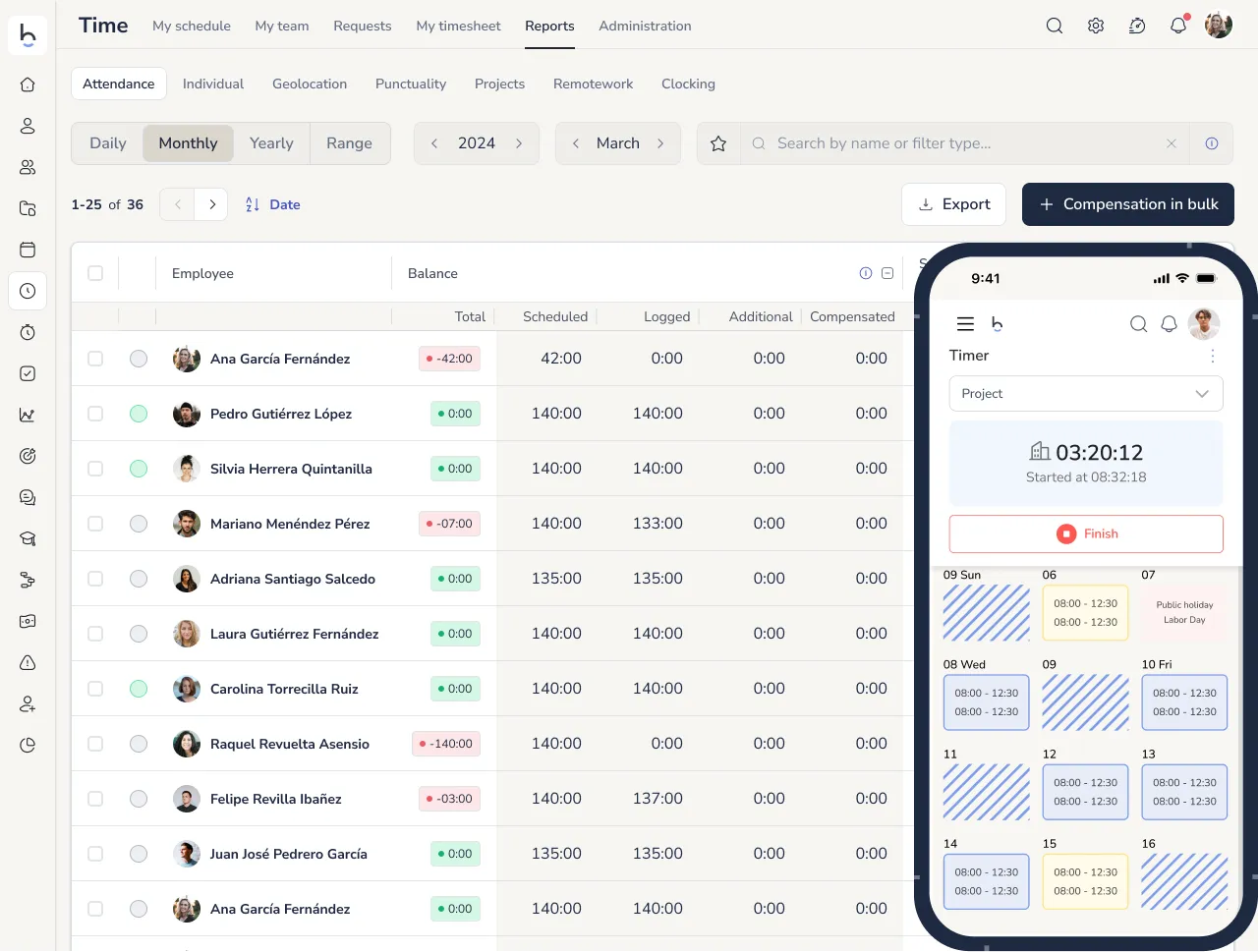







EMPLOYEE TIME TRACKING SYSTEM, ACCESS & ATTENDANCE CONTROL
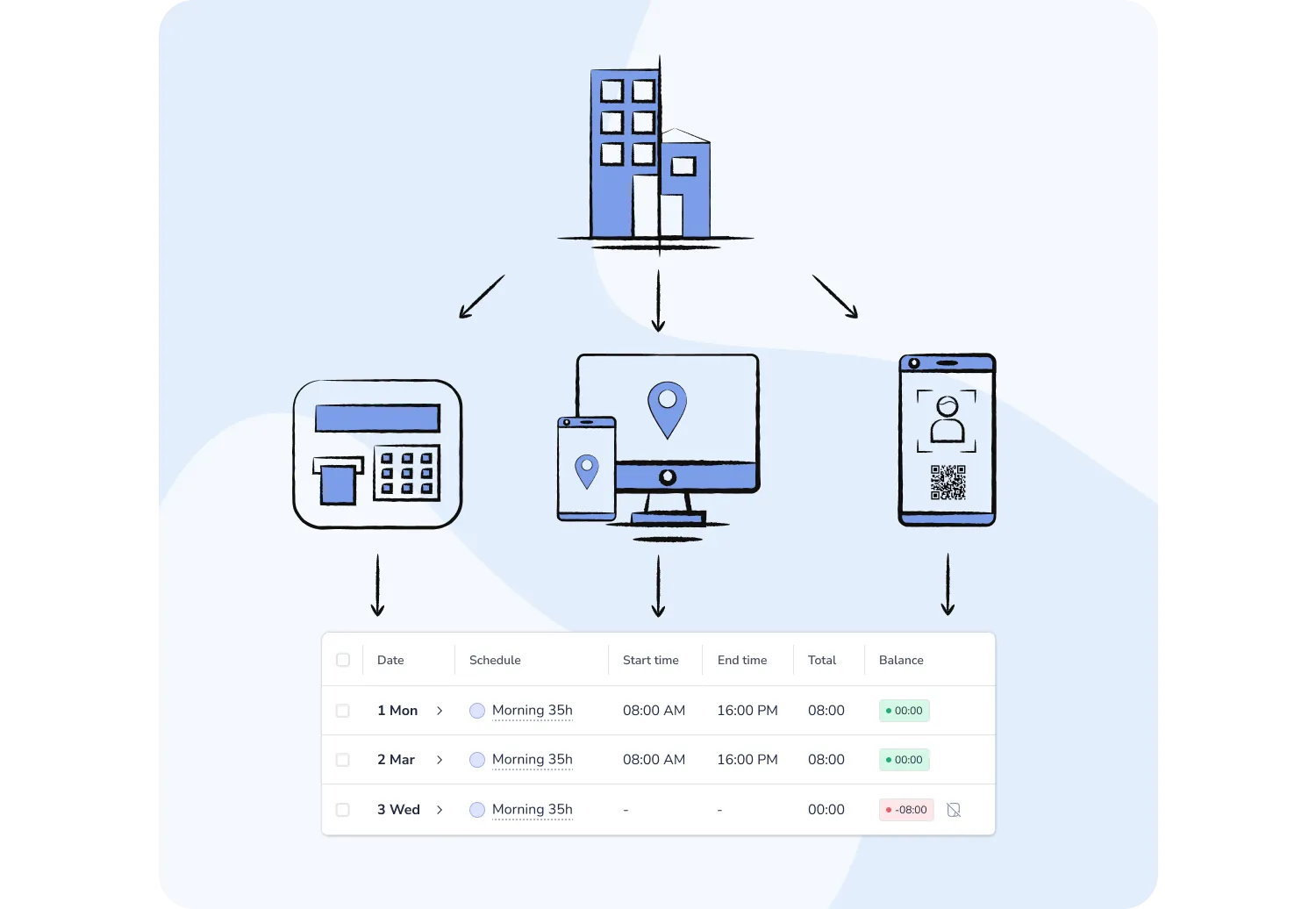
A single employee time tracking solution to register work hours in any environment:
Whether your company runs on flexibility or strict scheduling, we offer a clock-in system that fits your needs.
Customize your time tracking policies with full control.
FLEXIBLE TIME TRACKING RULES
Easily comply with labor law 8/2019 using the market’s most intuitive time tracking app.
Save time and streamline attendance tracking with:

TIME & ATTENDANCE TRACKING
Our time tracking software offers robust methods to geolocate and verify attendance with every clock-in:
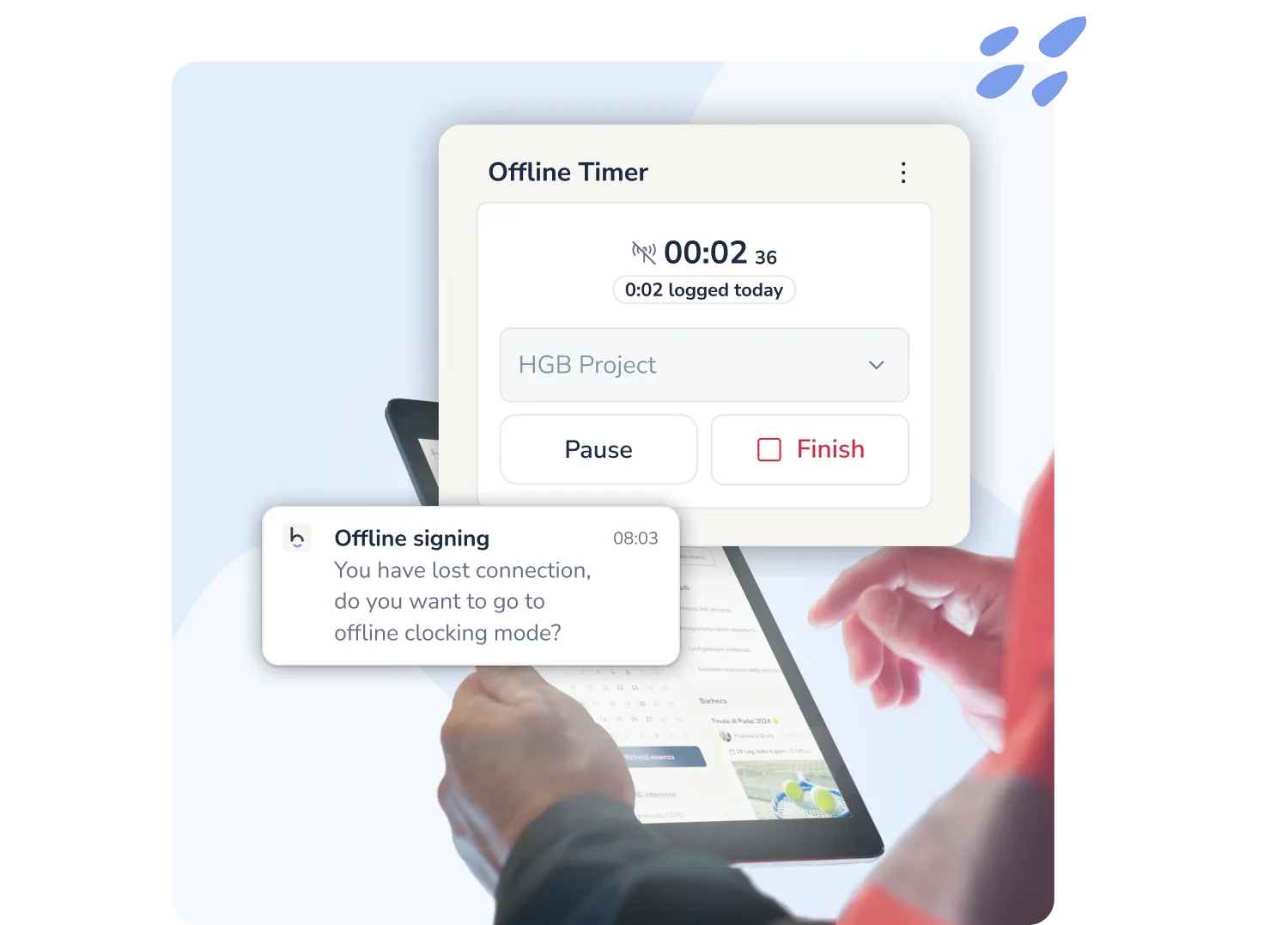
Offline clock-in with stopwatch
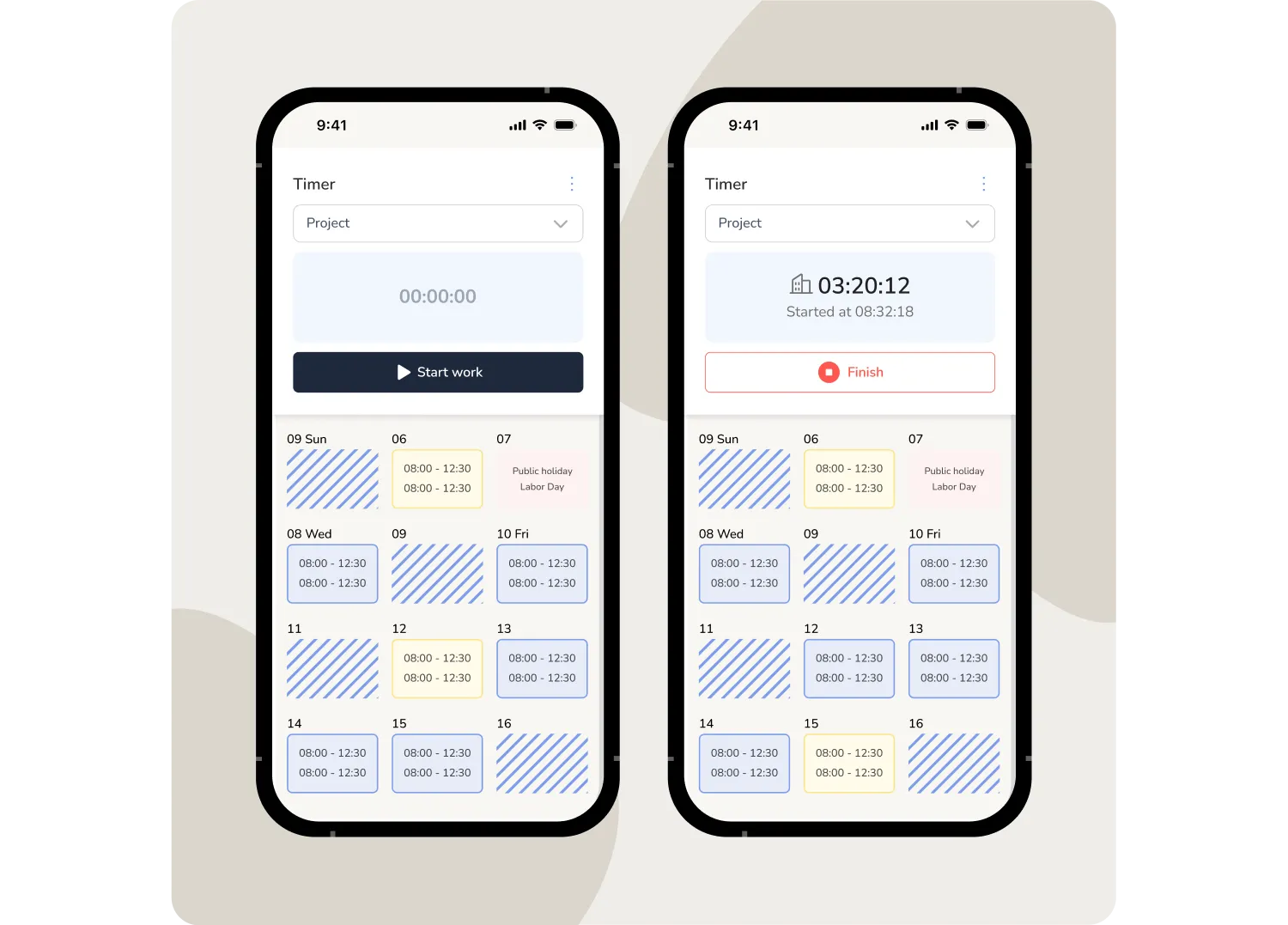
No connection? No problem. Start and end your workday with the stopwatch without interruptions: data is stored in the app and automatically synced once the device is back online.
5 TOOLS IN 1
Give your team a complete and flexible way to manage their working hours
TIME TRACKING RULES
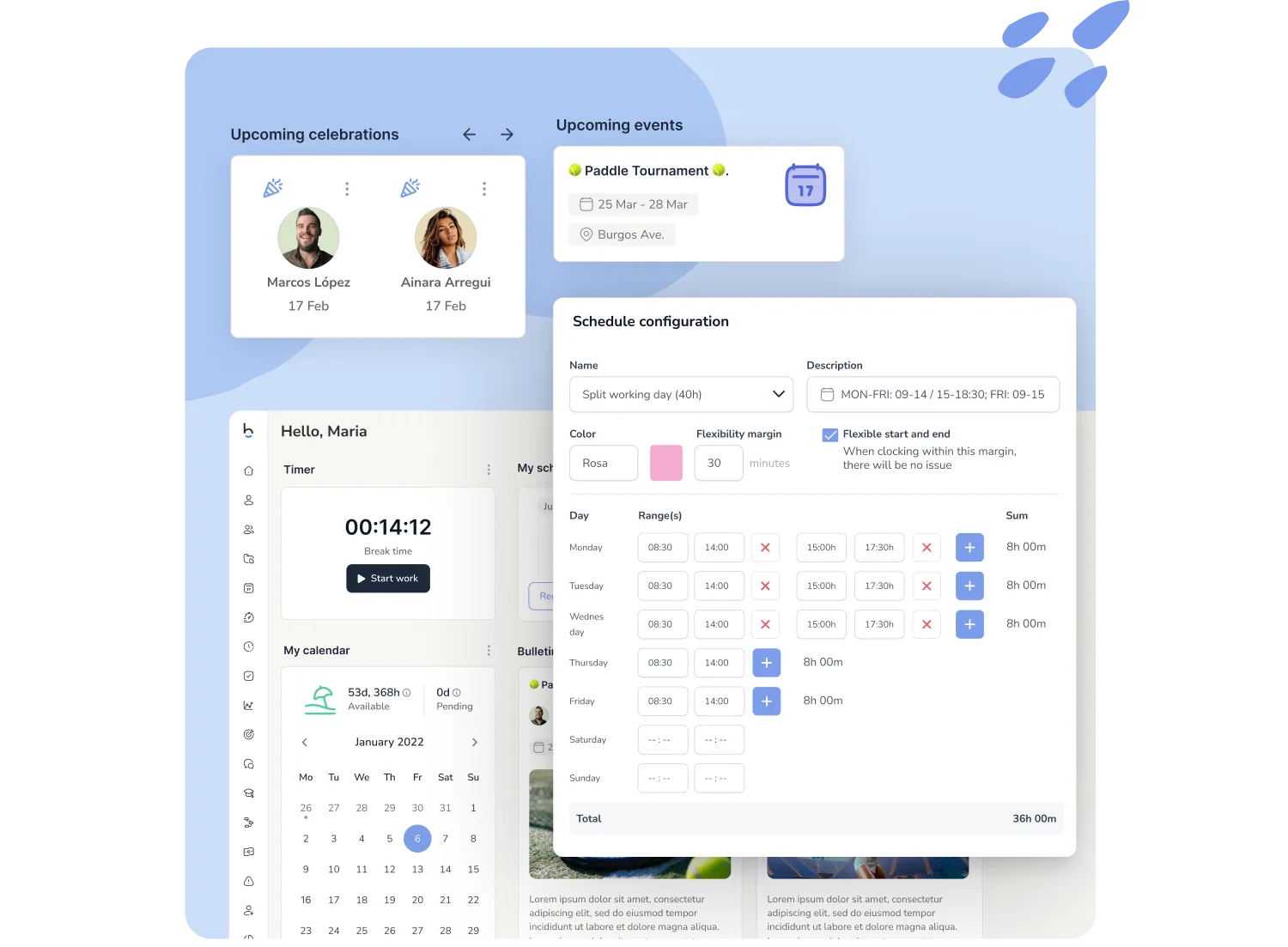
Give employees and managers the flexibility to manage their time, while you define the rules. With our time tracking app, you can configure:
Need more than just clocking in and tracking hours? Make the leap to truly complete time management: include vacations and shift planning too. Discover our time management software
Boost your time tracking system with our add-ons
Select optional features your company needs to take employee attendance to the next level
OVERTIME MANAGEMENT
Easily control overtime hours and additional time worked using fully customizable limits and approval flows.
FLEXIBLE WORKING HOURS
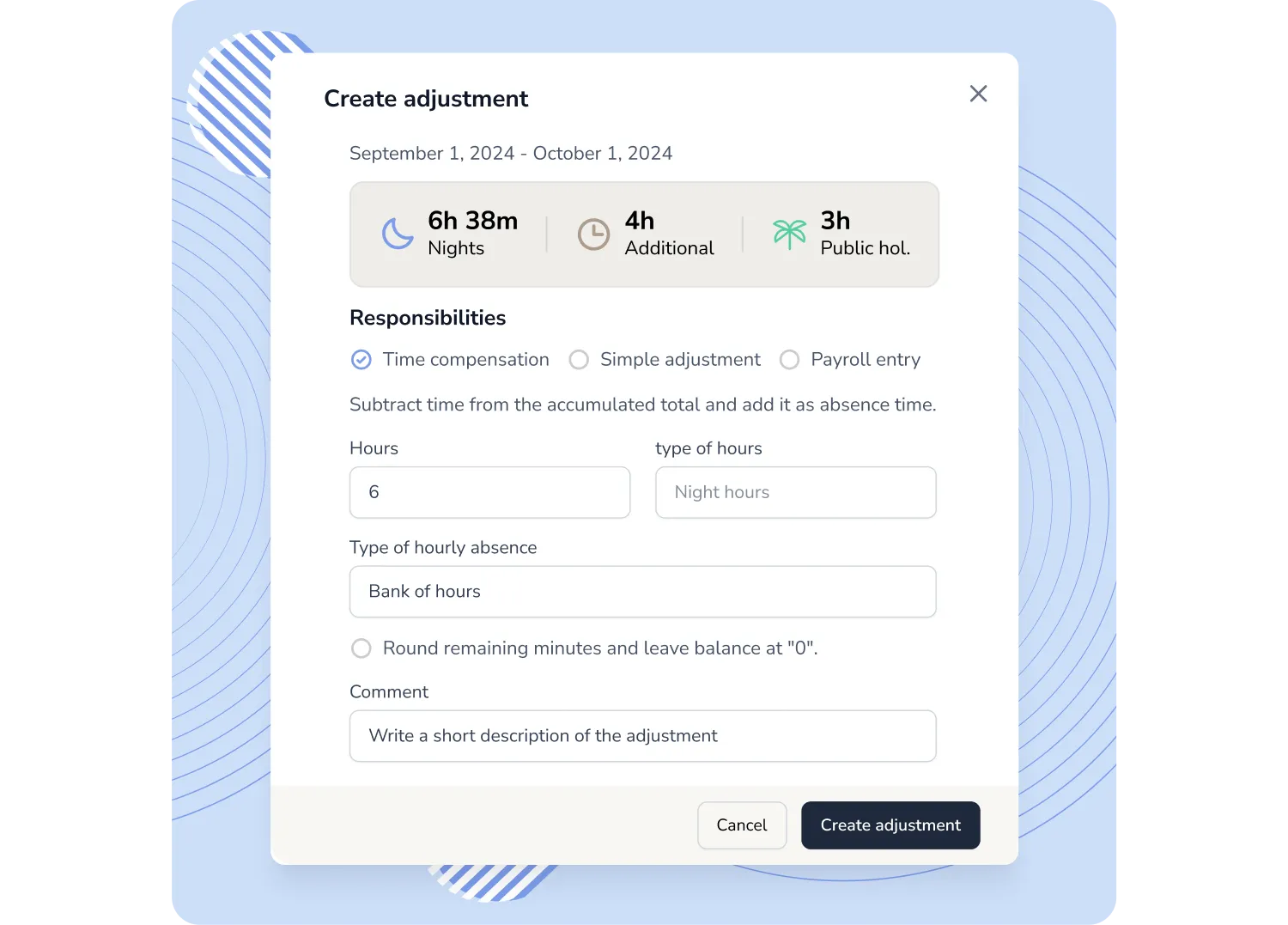
Reward your employees for working extra hours with additional time off or vacation days.
Easily set custom rules to define when and how each type of extra time should be compensated.
TIME TRACKING APP
Let your team clock in and out from anywhere, perfect for hybrid and remote work environments. Offer autonomy and flexibility while staying fully compliant.
PROJECT-BASED TIME TRACKING
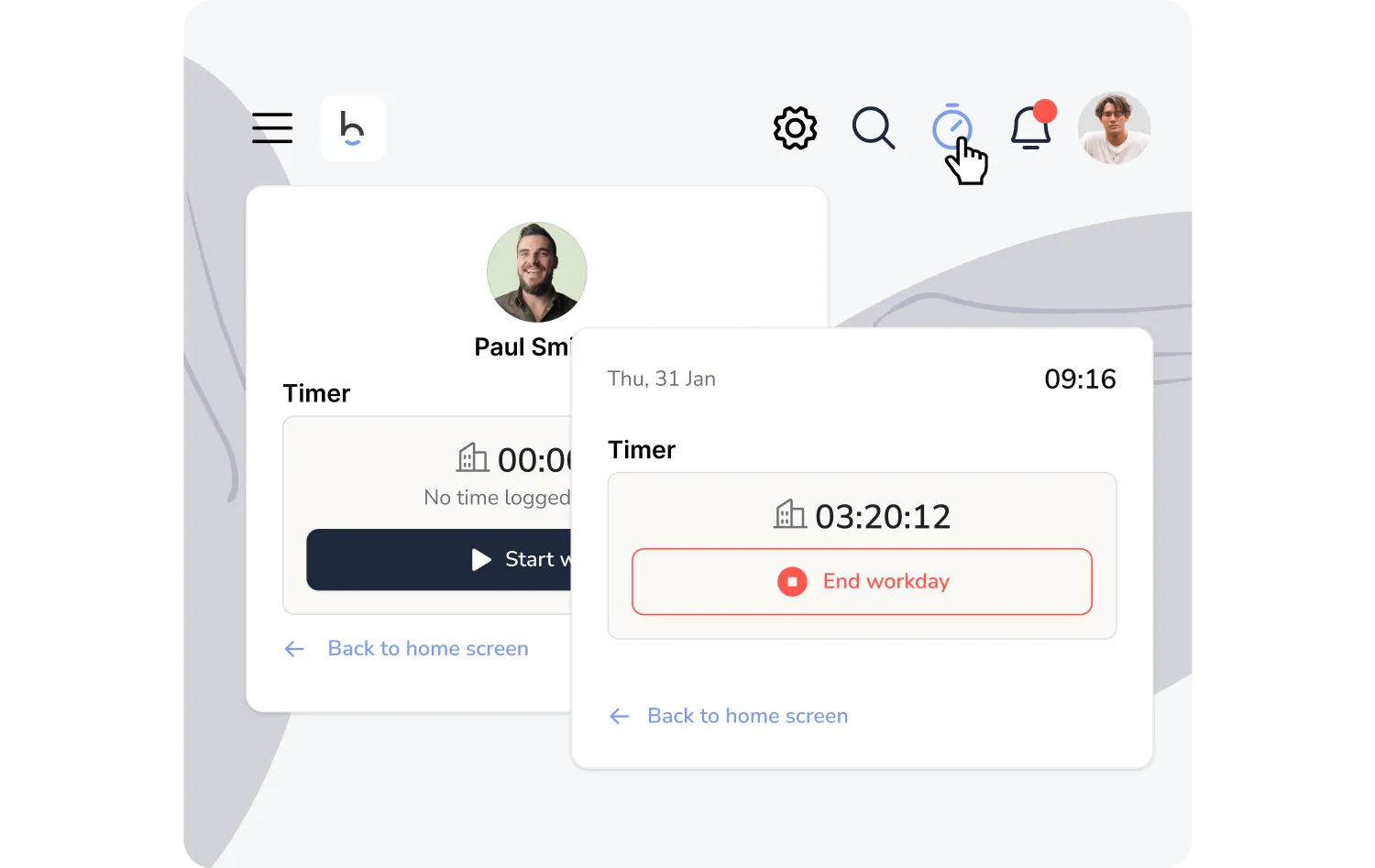
Assign hours to specific projects or tasks, ideal for remote teams and service-based roles. Simplify your day-to-day operations and gain full visibility over time spent.
TIME TRACKING DASHBOARD
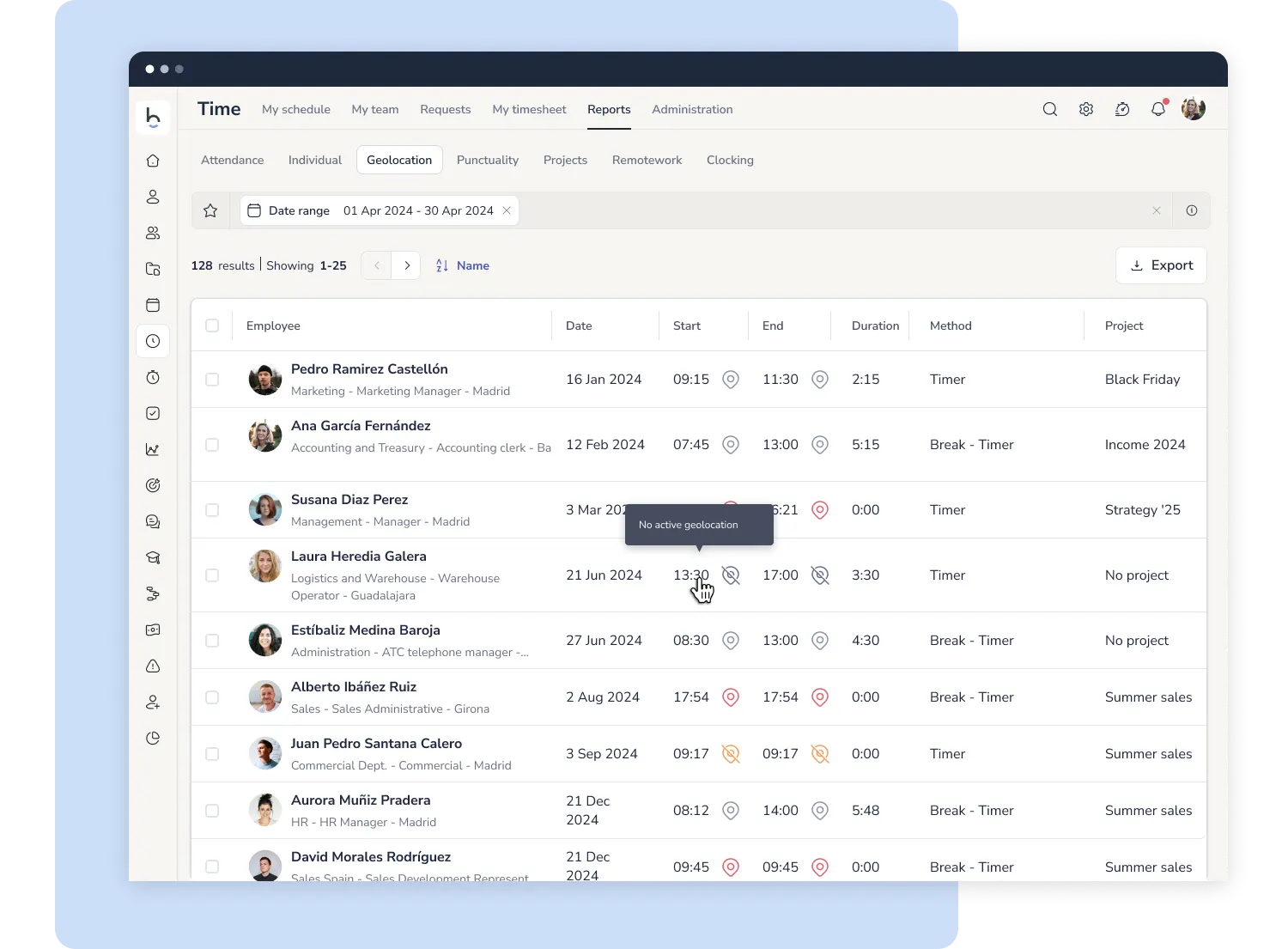
Make life easier for managers and HR with advanced time tracking software designed to reduce absenteeism and streamline workforce control.
WORK SHIFT NOTIFICATIONS
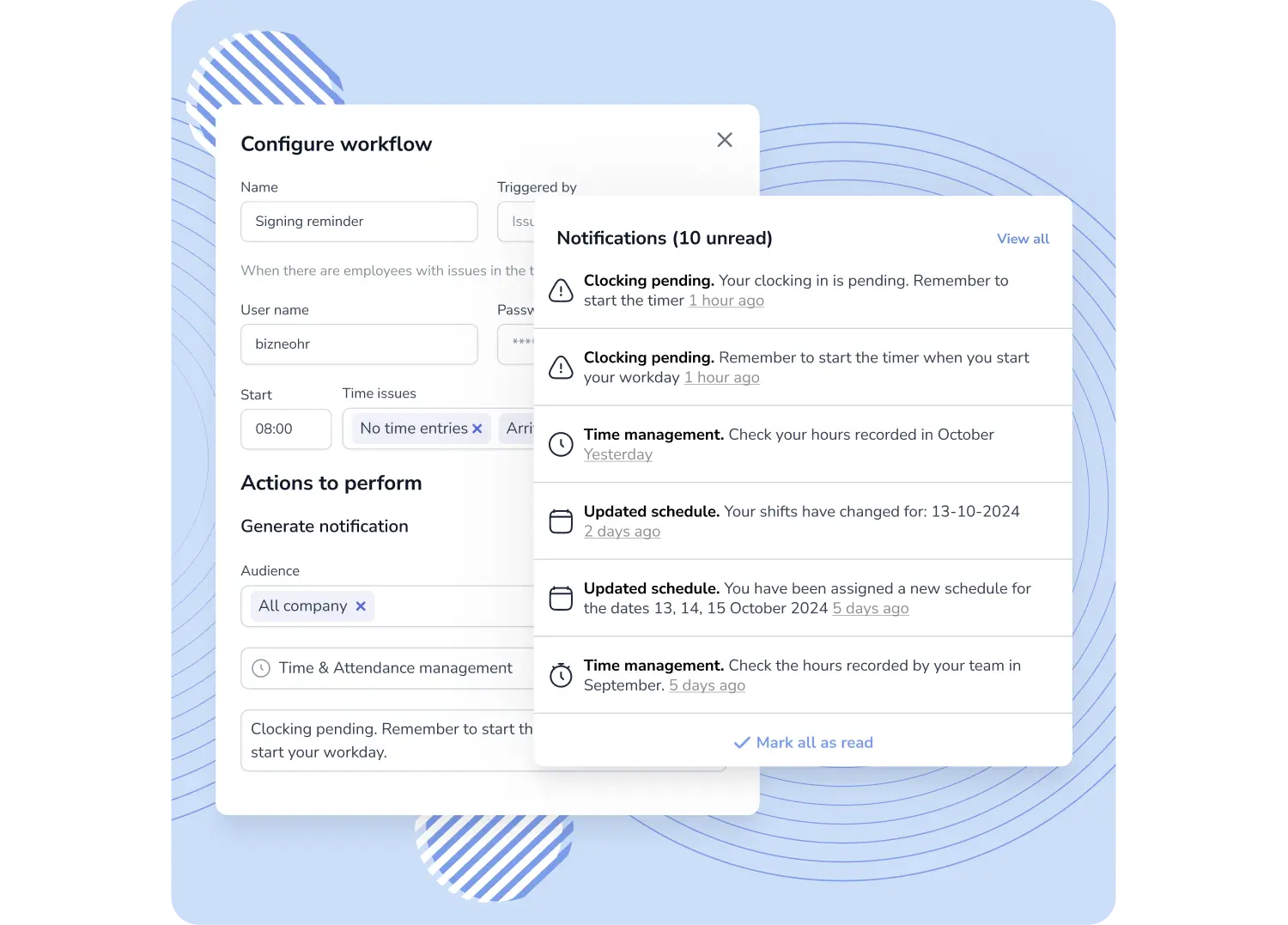
Set up automated sequences to notify employees or managers about time tracking issues, missed punches, late arrivals, missing check-outs, overtime, and more.
Workflows handle it automatically:
WORK HOURS REPORTING
Get all the data you need to close payroll incidents and prepare internal audits—fast and accurately. Punctuality tracking and time balance reports for quick attendance reviews.
AVOID FINES AND LABOR INSPECTIONS
Everything you need to ensure compliance and avoid penalties with our time tracking software:
TIME TRACKING SOLUTION CONNECTIVITY
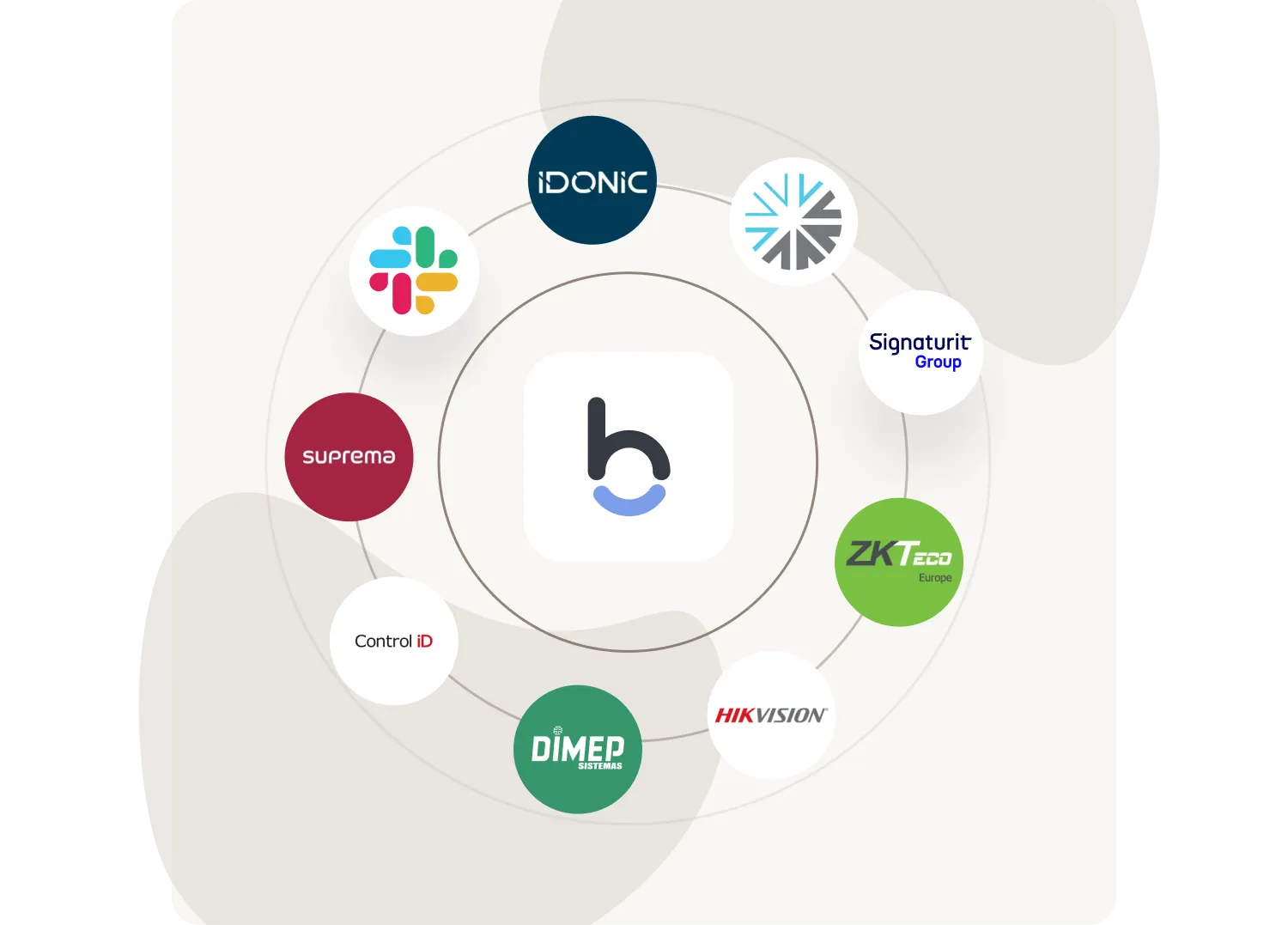
Connect our employee time tracking software with over 1,000 external tools and platforms:
Contact our team for configuration options available in your market and other integrations on demand.
We record your team's working time and everything that comes after it: incidents, overtime, time banks and reports ready for any audit. You can subscribe to it on its own, or together with leave, shifts and attendance control as part of complete time management.
The difference from simply clocking in lies in what happens between the time record and payroll: spotting who has not clocked in, resolving the issue before month-end close and having the history ready whenever it is requested.
Working-time recording rules differ from country to country, so Bizneo is configured to the requirements of each one: what must be recorded, how long records must be kept and who needs access to them. Within the European Union, the Court of Justice requires employers to have an objective, reliable and accessible system for recording working time (judgment of 14 May 2019, C-55/18), and a traceable digital record that employees can consult meets those criteria.
Every change to a record is traceable: who made it, when and why. That is what makes the system defensible in an inspection or an internal dispute.
If you are not sure how a specific obligation in your country is covered, contact us and we will check it with you.
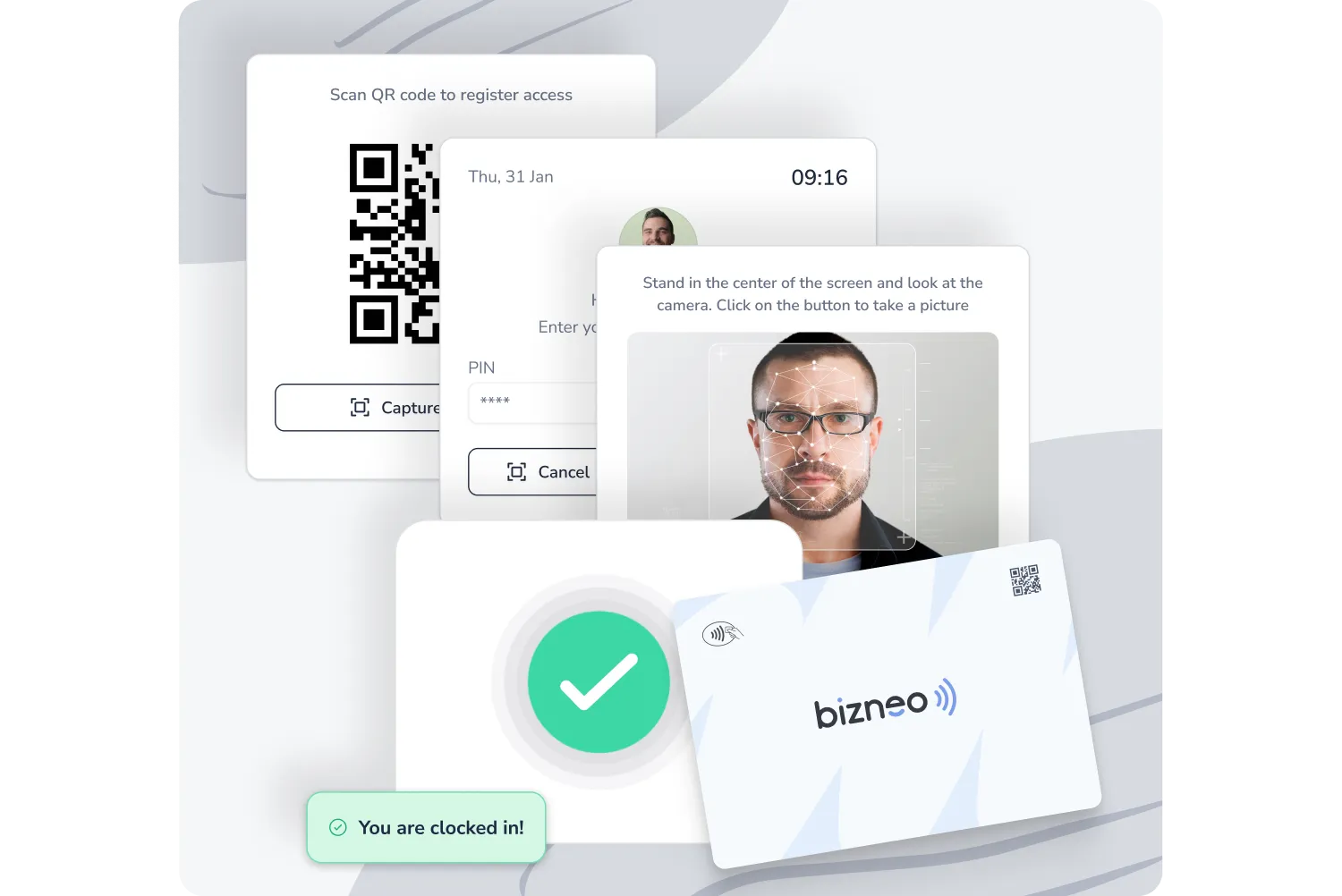
With more than ten clock-in methods that can be combined by role: web, mobile app with geolocation for people who work away from a fixed site, tablet kiosk, one-click expected clock-in, weekly bulk clock-in, flexible in and out, or a timer with scheduled start, lock and close.
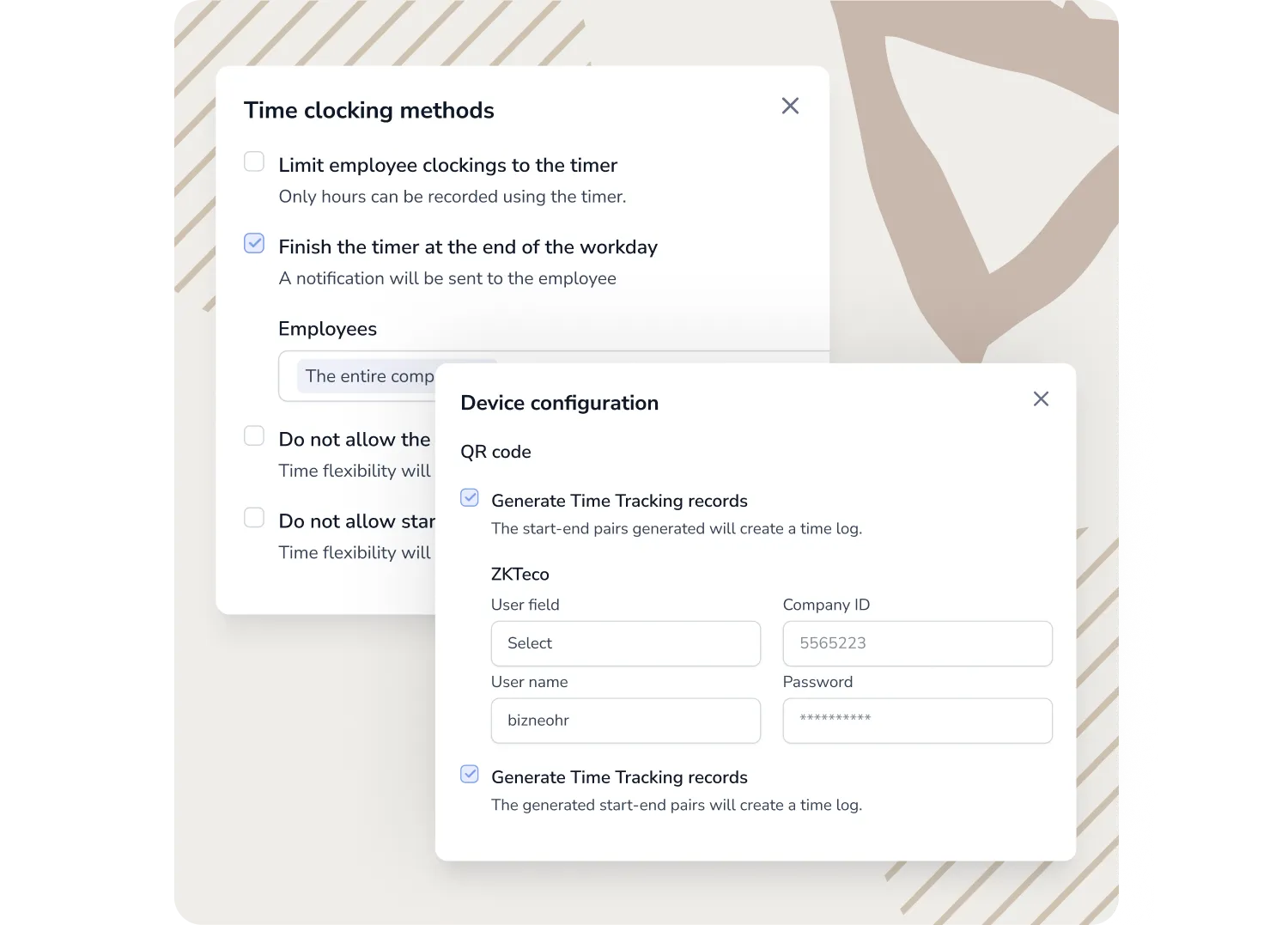
For physical attendance: facial recognition, NFC badge, QR code or PIN. The QR code refreshes every few seconds and expires if it is not used right away, so employees have to clock in where it is displayed. And if you already have an access control system, there is no need to replace it: in Europe we connect with ZKTeco, Suprema and Hikvision through our partner Tecnitrán, and you can always check with us the options available for your local provider.
Facial recognition is subject to different rules in each country, as biometric data is a special category of personal data. Some data protection authorities in Europe restrict its use for attendance tracking, so check your local rules before enabling it.
Clock-ins work offline (the app stores them and syncs once the connection is back), and the timer lets employees indicate whether they are working on site or remotely, so it is shown separately in reports. The app is native for iOS and Android and is rated 4.7 on the App Store and Google Play.
Yes, it is one of the scenarios the platform was designed for. The tablet kiosk, PIN, QR code, NFC badge and facial recognition let people clock in without their own device, and you can also integrate the access control system you already have. That is what our customers in retail, hospitality and logistics use in stores, warehouses and on site.
Employees without a company email log in with a personal identifier (employee number or another field you choose) and an access code, generated in bulk and changed on first login. With it, they can clock in, view documents and answer surveys. For now, it works in the web version and is enabled through your CSM.
A personal phone can be one option among several, never the only one: requiring employees to install an app on their own device is hard to justify under data protection principles such as necessity and proportionality. Always offer an alternative, such as a badge, kiosk or PIN.
There is no continuous tracking. Geolocation applies only at the moment of clocking in, linking each workplace to an authorized GPS location or IP address to verify where work is carried out, and it does not create any history of the employee's movements during the day.
You can choose between two modes, depending on how much control you need. Permissive mode always allows clocking in and, if the employee is outside the authorized area, creates an incident for you to review later; this is the option we recommend, because it never prevents working time from being recorded. Strict mode blocks clocking in outside the exact location and only makes sense when physical presence is an essential requirement of the role.
Under data protection laws such as the GDPR, the legal basis is usually the employer's legitimate interest, not employee consent, which is not considered freely given in an employment relationship. Some countries add specific limits on monitoring employees, so inform your team in advance and check your local rules.
Yes. The system is built on three elements: the shift (start, end and breaks), the schedule (the combination of shifts that covers the week or cycle) and the assignment to each employee. If someone has no schedule assigned, everything they record counts as overtime, so it is worth checking before approving that kind of incident.
Limits per absence type and accrual rules, including seniority, adapt to your collective agreement, with pro rata balances that recalculate automatically if the agreement changes. For complex operations, there are multiple shifts per location, rotating patterns and coverage per post; with rotating patterns, the cycle runs from the start date you define, which is the key setting.
Calendars do not depend on the location or the agreement: two employees under the same agreement can each have the calendar of their own city or country, with their local public holidays loaded in bulk. For the most common cases, you start from pre-configured templates: hospitality and retail with weekend and public holiday premiums, manufacturing and logistics with hours distributed over the year, or healthcare and security with rotating shifts and night work. And a consultancy with flexible hours and a time bank uses the same configuration.
The system sends alerts before it becomes a problem: a first reminder to the employee after a few minutes, a second if they still have not clocked in and, if there is no response, an alert to their manager.
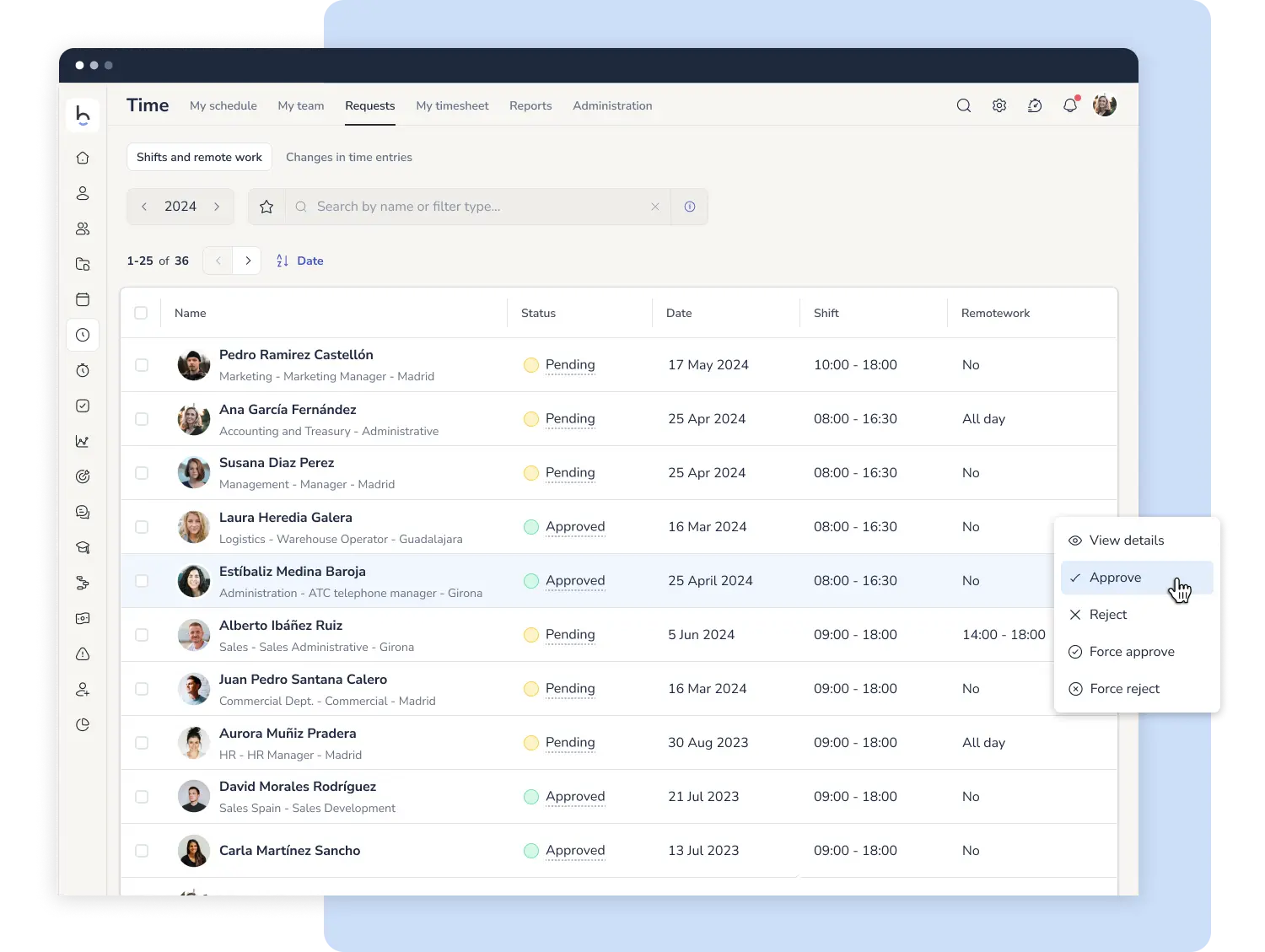
Employees can request a correction from their own profile, and their manager approves or rejects it. To diagnose the incident, the key is identifying the cause: if the schedule is right but the clock-in was wrong, it is a clock-in error and the request fixes it; if the clock-in was right but the assigned schedule does not match the real working day, it is an assignment error, and that is what needs correcting.
If a record is left open, automatic closures marked as pending confirmation are applied, which the employee confirms or corrects the next time they log in, along with automatic adjustments for partial absences, such as a medical appointment, which align with the actual clock-in instead of deducting the whole absence. Corrections never overwrite the original: every change is logged with its author, date and reason, and you can see who makes the most mistakes.
It is a configurable margin of a few minutes before and after the scheduled time that does not count as working time, designed for entering the premises or voluntary waiting before the shift starts.
The record always keeps the actual clock-in time: the grace period affects the calculation, not the recorded data. Whether it can be applied, and how many minutes, depends on each country's labor law and your collective agreement: some countries set specific limits, and in all of them, any time during which the employee is actually working must be counted.
Define it in your internal policy and, if you are not sure about the rules in your country, contact us and we will check it with you.
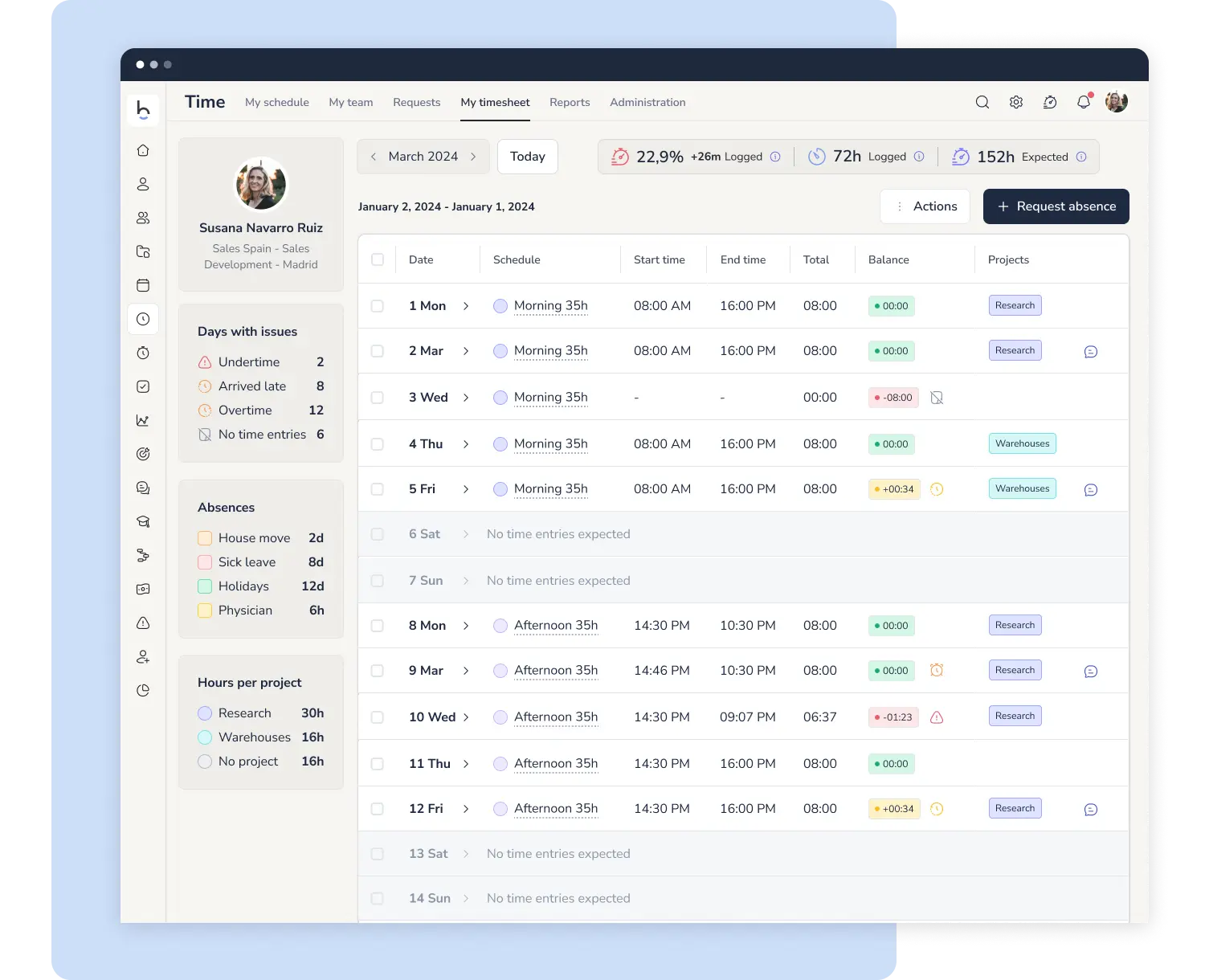
Each manager sees their team dashboard: who has clocked in, who has open incidents and the current hours balance. They approve clock-in requests, corrections and overtime from the app or desktop, with real-time alerts.
You decide who manages shifts: one person for everything, each manager independently for their own team, or a mixed model where HR sets the base structure and each manager adjusts the day-to-day. The mixed model is the most common. Permissions are set per team, so a department head cannot access data for employees they do not manage.
A log of clock-ins and clock-outs with incidents, differences between scheduled and actual time, reports by person and department, punctuality tracking, hours balance and a remote work report that separates on-site and remote hours. Everything can be exported to PDF, and you can send monthly summaries to employees for e-signature.
On the calculation side: you define overtime types and the threshold above which overtime is paid, and you decide whether it is recognized automatically when someone clocks in without an assigned shift, or scheduled in advance by adding an extra hour type to the schedule. You configure premiums for overtime, night work and public holidays according to your local rules or collective agreement, and the system applies them automatically.
Accumulated hours are compensated as time off, added to the employee's time bank, or through payroll, as part of that month's pay.
It analyzes the clock-in data you already collect and surfaces what is not visible at a glance: lateness patterns by day, time slot or type of working day, comparisons between departments and the real impact of delays on operations.
It does not add new monitoring. It reads existing records faster, and the manager is still the one who interprets and decides. It is backed by our ISO/IEC 42001 certification for artificial intelligence management.
Time tracking starts from US$6 per employee per month. The final price depends on the size of your team, and it gets better when you combine it with other tools in the suite.
Get in touch and we will prepare a quote for your team.
Start optimizing vacation tracking, worked hours control, and shift scheduling all in one place


