
A powerful tool to manage rotating shifts and employee schedules: smart and flexible shift planning guaranteed.
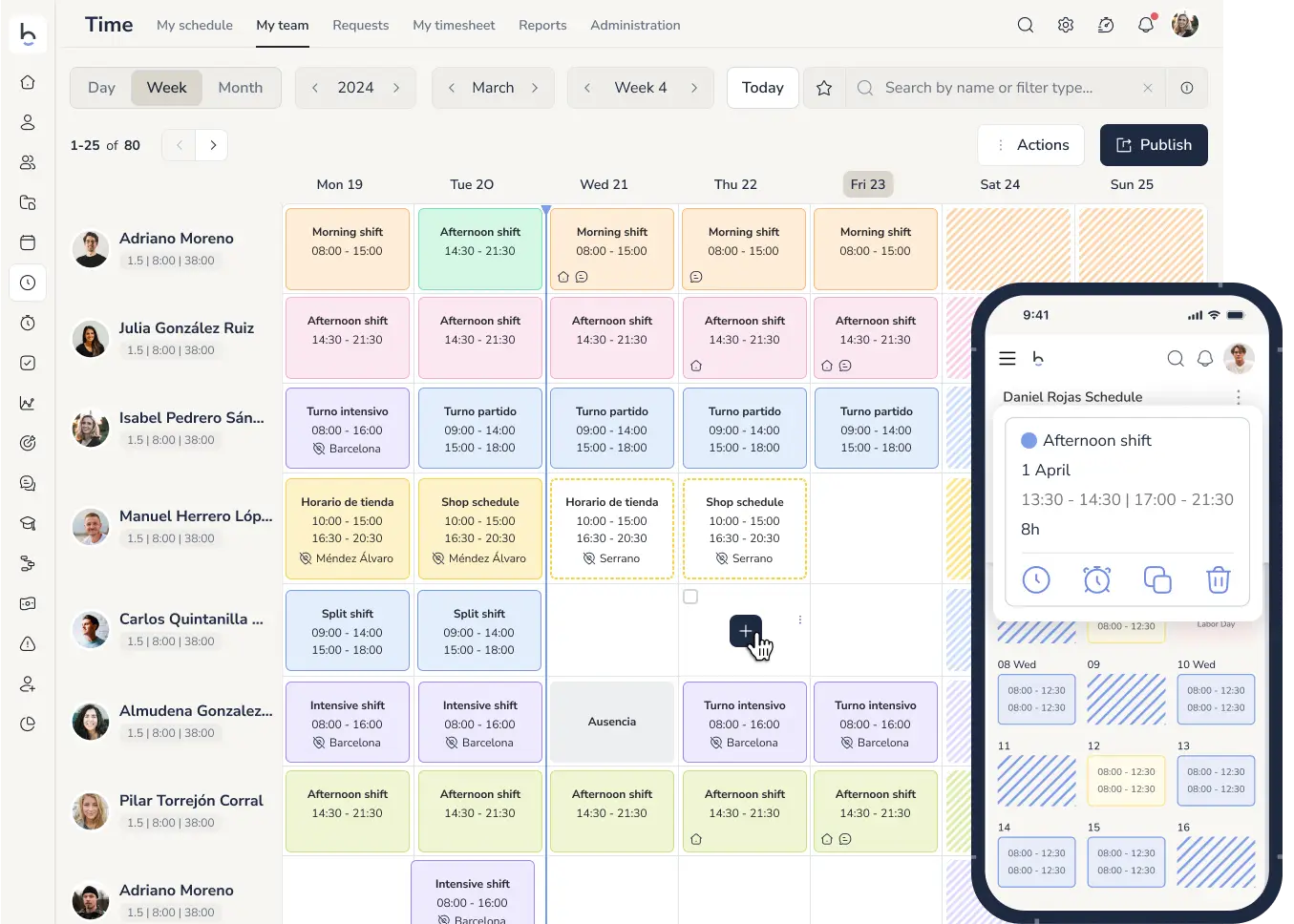







SHIFT CALENDAR
Forget corkboards and Excel templates. Keep your team aligned from anywhere, track hours worked, and instantly notify staff of any changes.
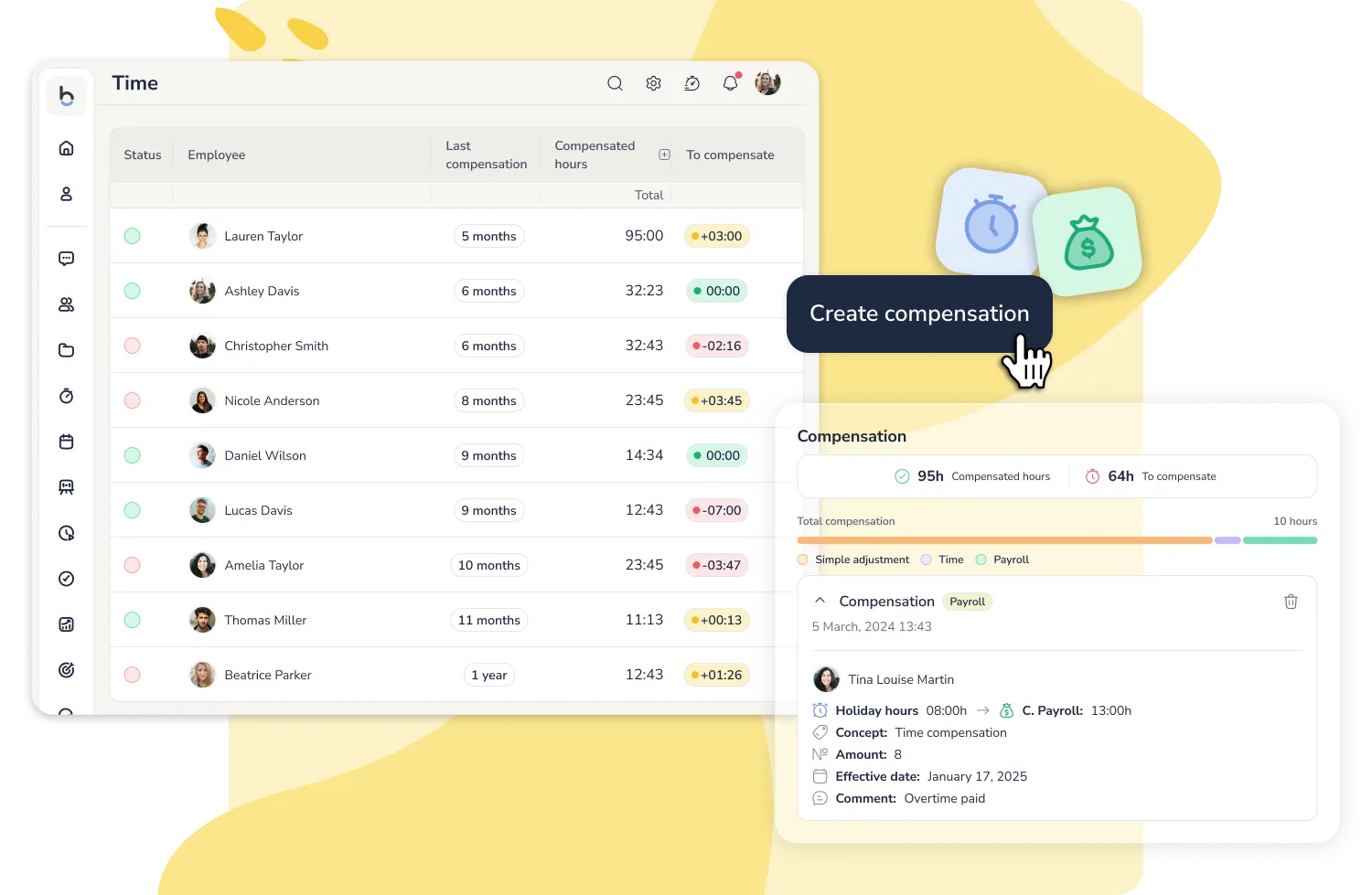
Automatic compensation per shift
Your team works public holidays, covers on-call shifts and builds up overtime, and each case is compensated differently.
Set the rules once, assign them to the shift, and the system records the hours and applies the right compensation.
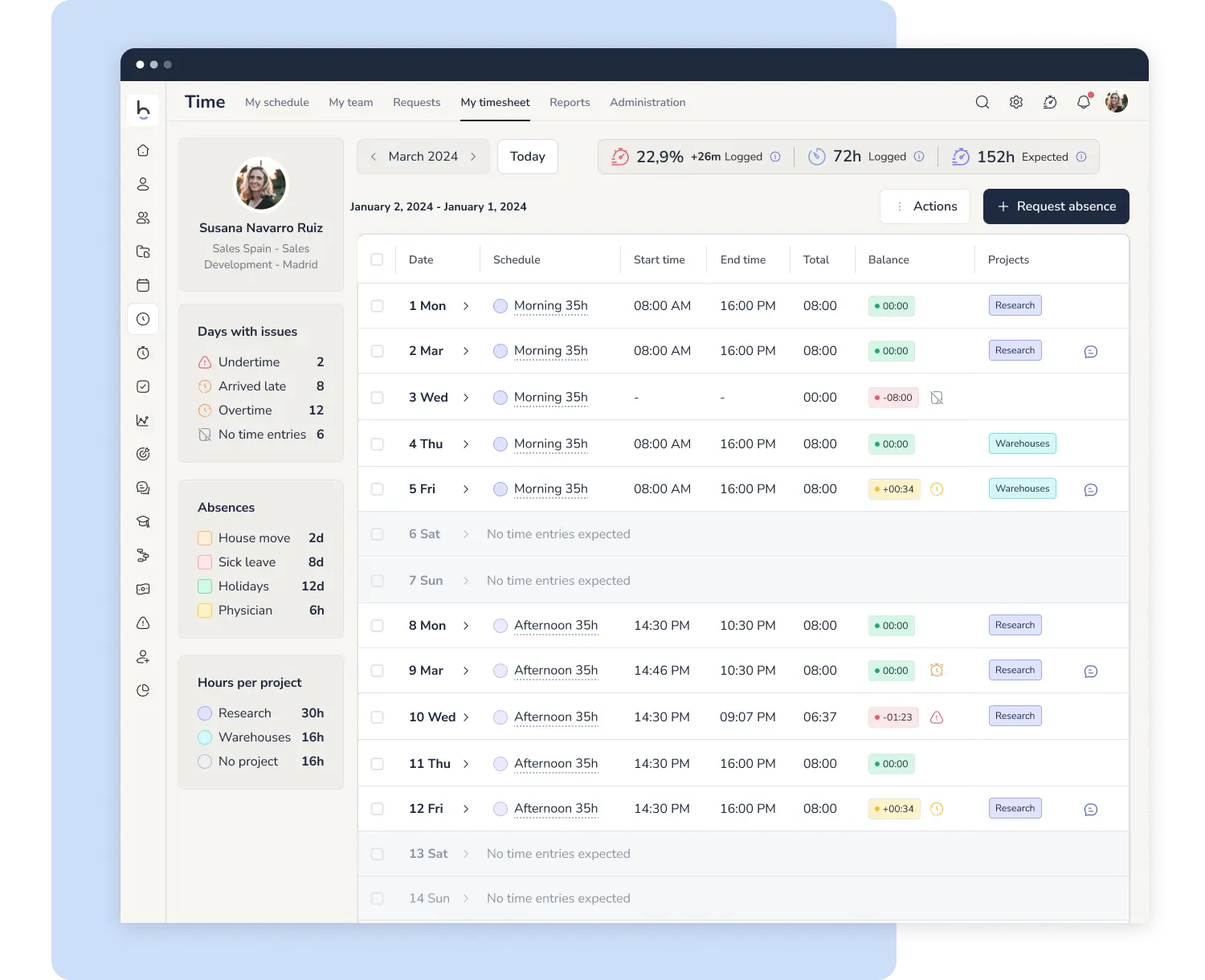
SHIFT SUMMARY & INCIDENTS
Get all the key data you need to manage shifts efficiently and support payroll processing.
Clear, simple reports to spot extra hours, shortages, or late arrivals
ROTATING SHIFTS
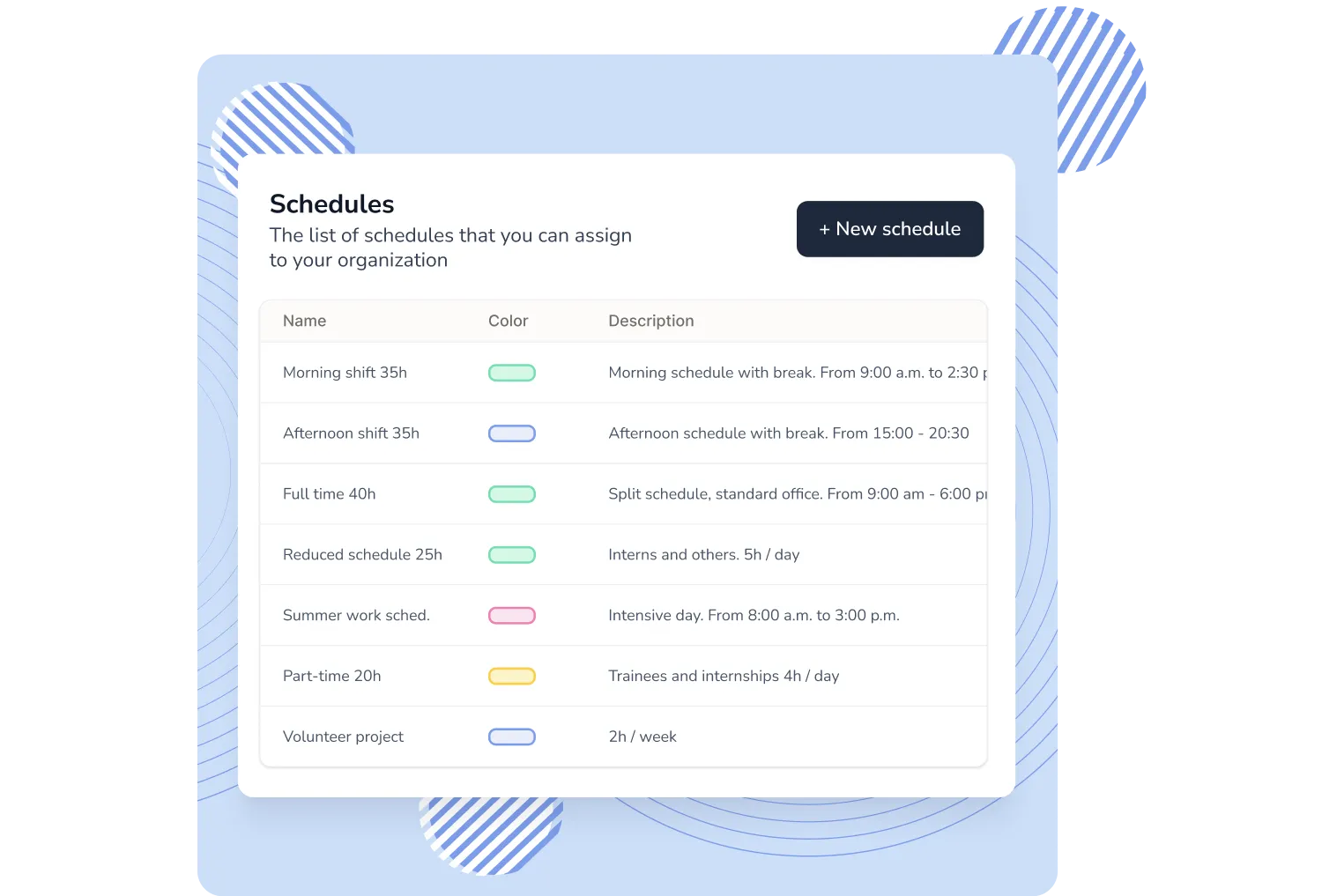
Save hundreds of administrative hours and assign schedules in bulk to your different teams with shift management software.
-1754897338703.webp)
5 TOOLS IN 1
Make your team work happily with the most complete functionality to self-manage their working time.
ADVANCED SHIFT SCHEDULER
Easily manage last-minute changes with our powerful employee shift scheduling software. This smart system lets you preview, schedule, and apply bulk updates across your team.
Automatic prioritization among applicable shifts: 1. Absence 2. Temporary 3. Holiday 4. Regular.
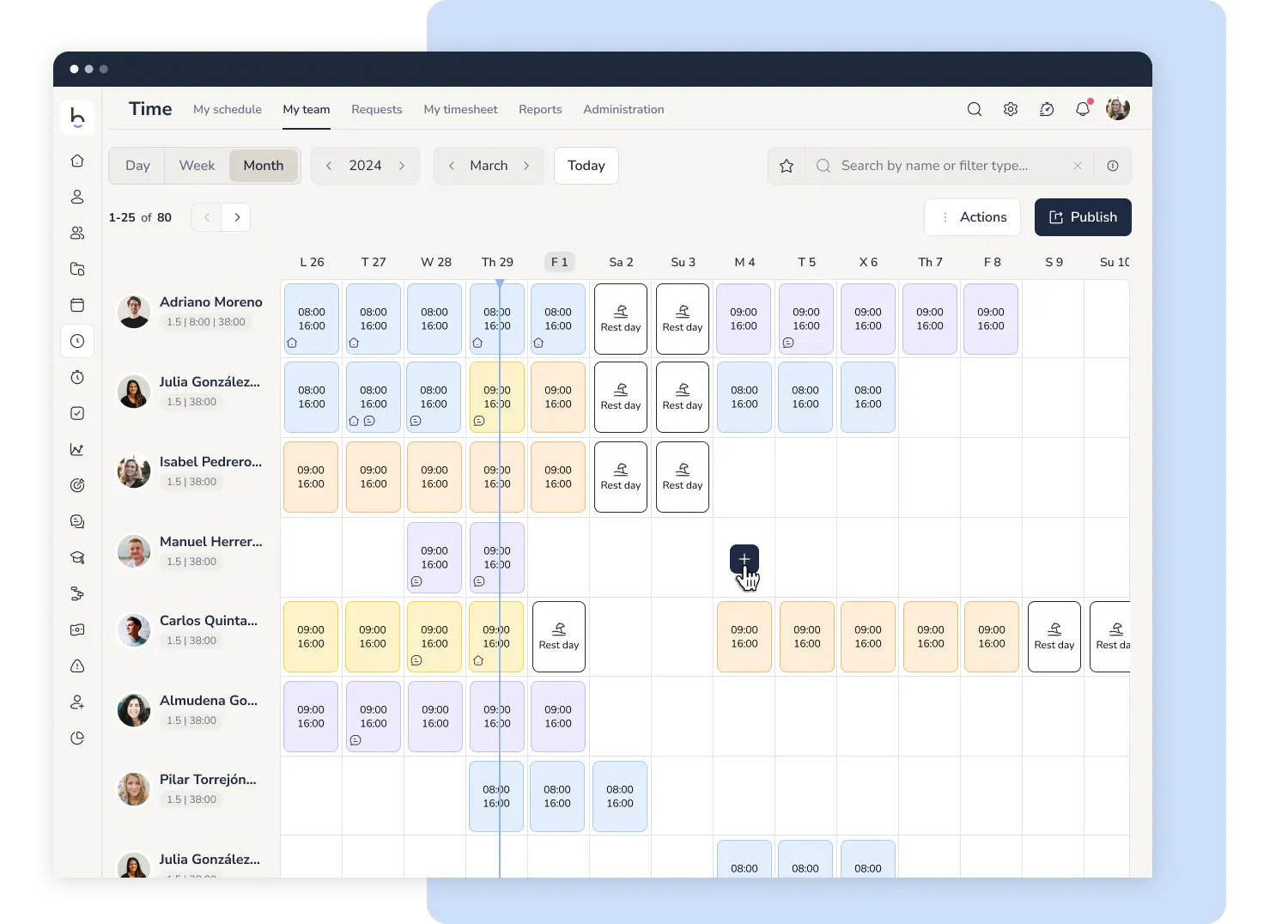
SHIFT MANAGEMENT TOOL
Intuitive tools that make planning simple: build and edit shift calendars by dragging directly on screen, or customize the schedule by day, week, or month.
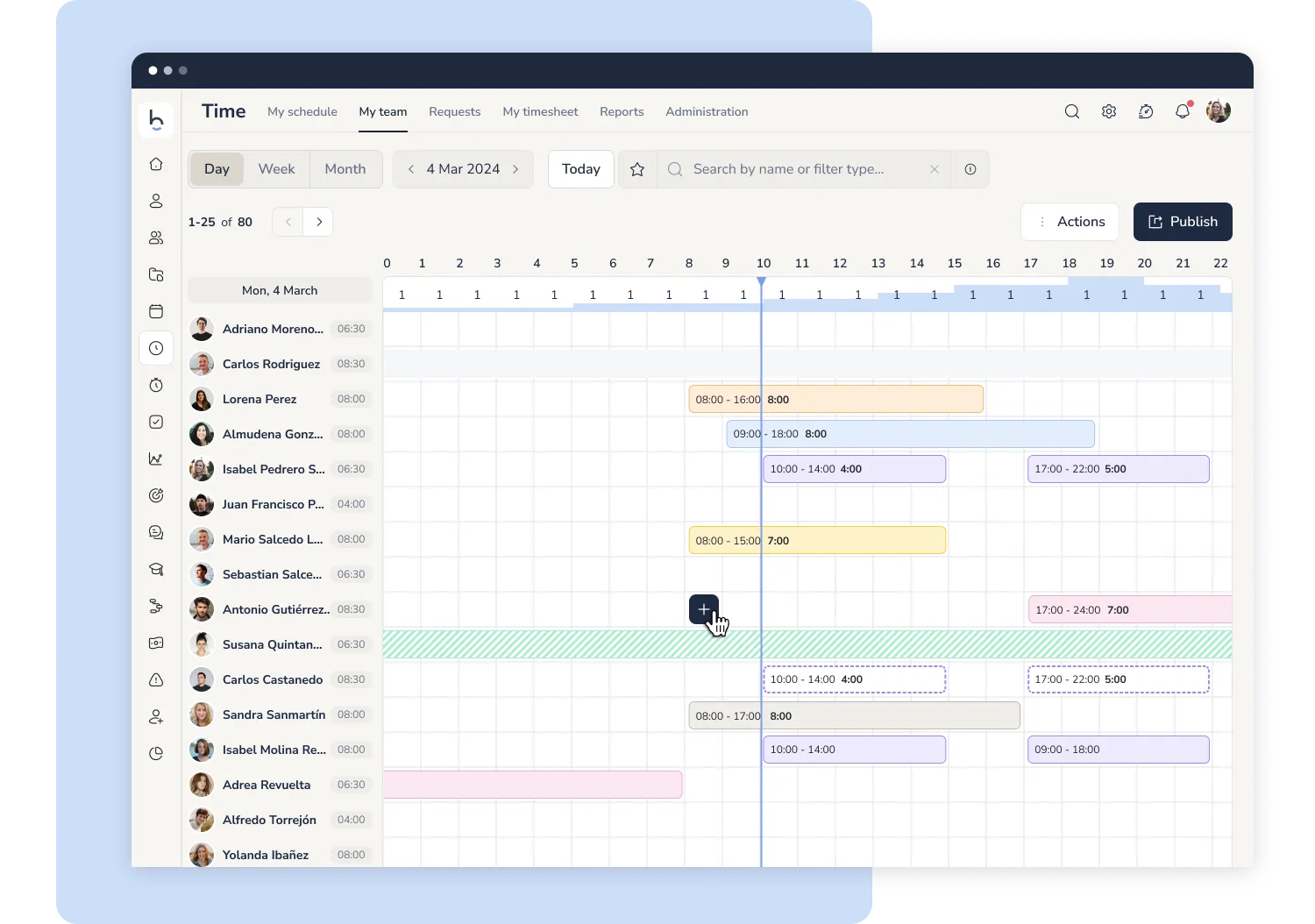
Drag-and-drop shift planning
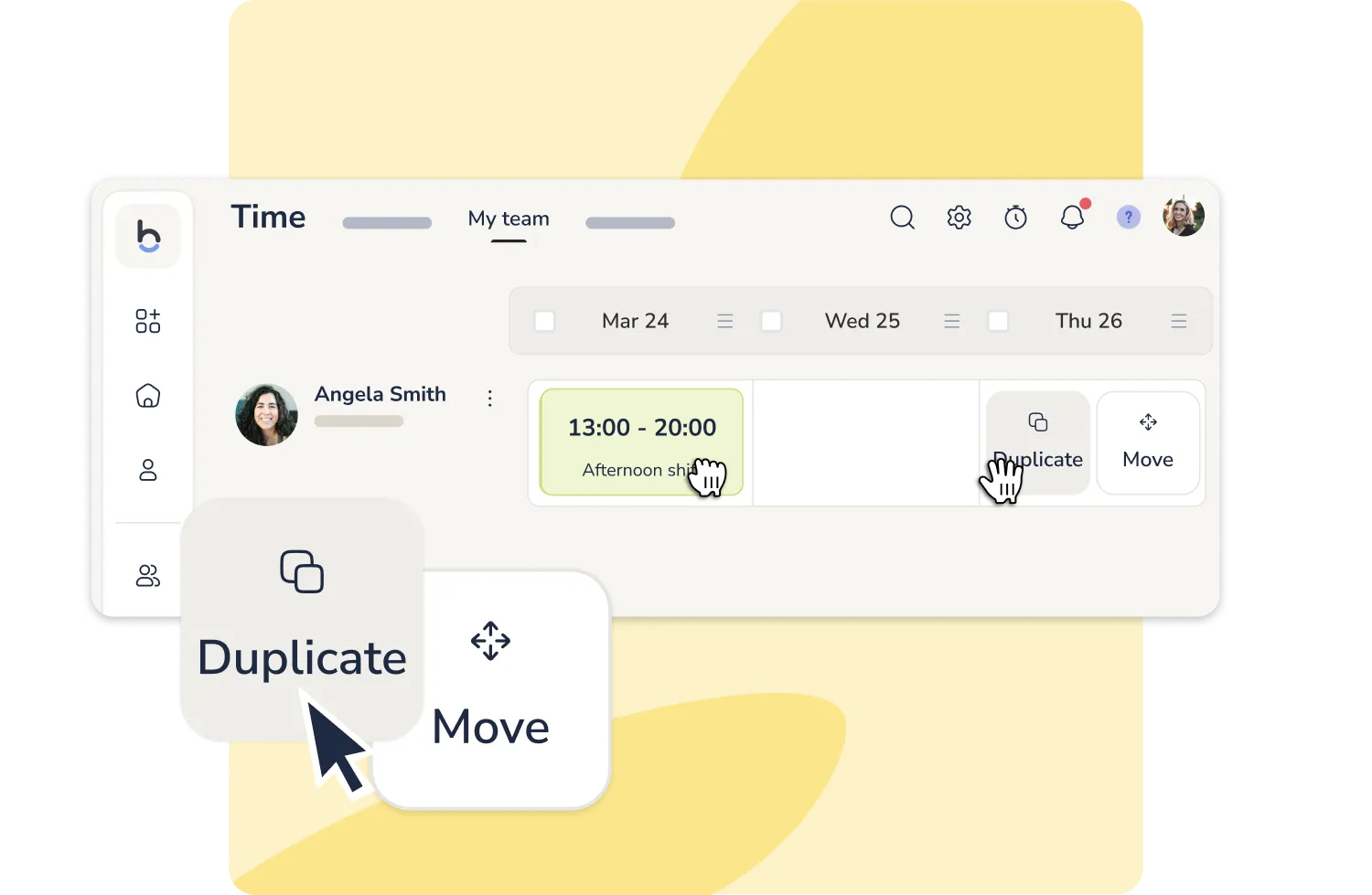
Reorganising the week no longer means opening each shift in a separate window. In your team's weekly view, click and hold a shift, then drag it to another day to move or duplicate it.
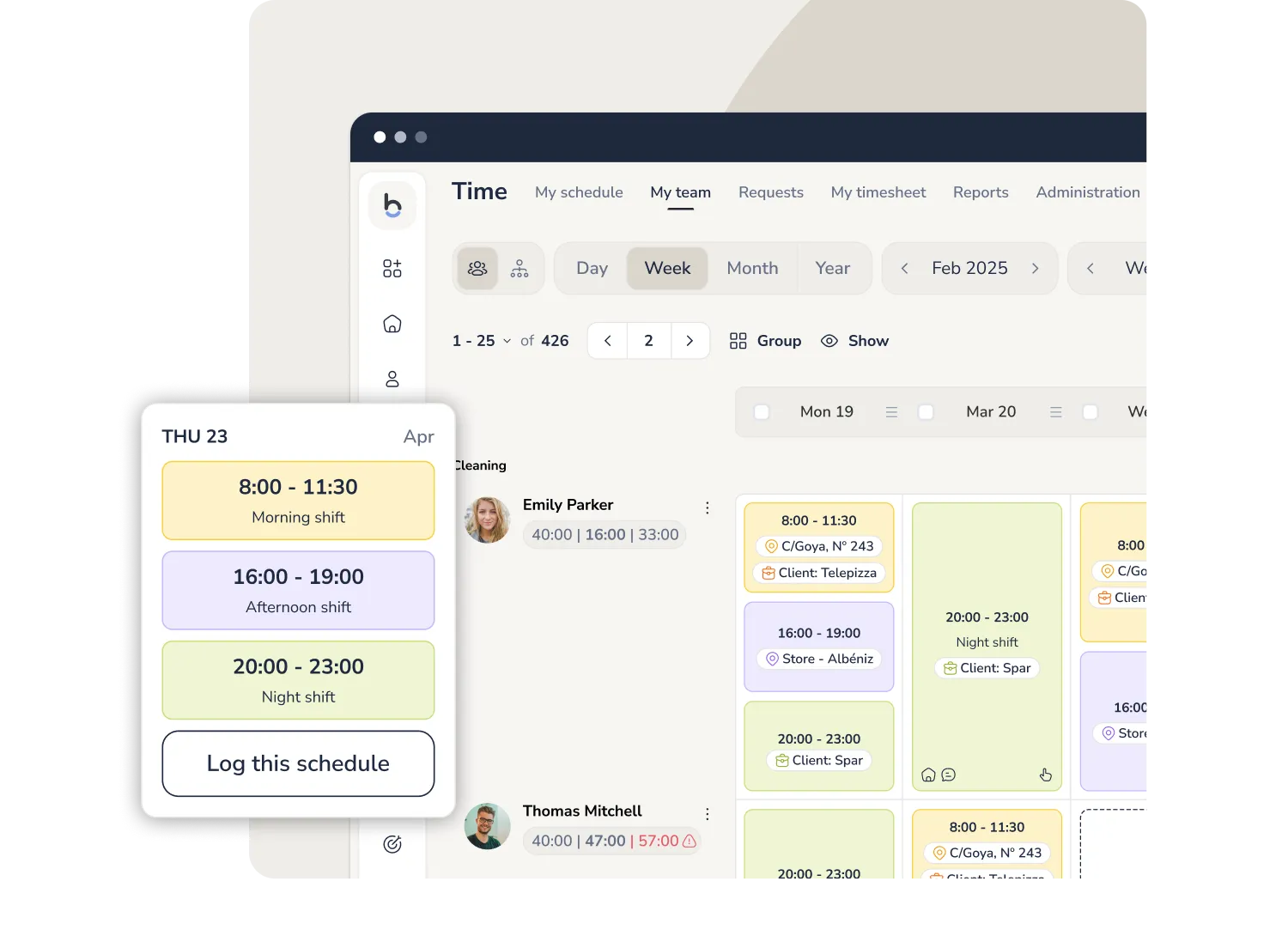
Multi-shifts for a flexible workday
You can now schedule more than one shift within the same workday, each with its own location, project, and breaks.
A feature designed for companies with teams working on different tasks or sites throughout the day.
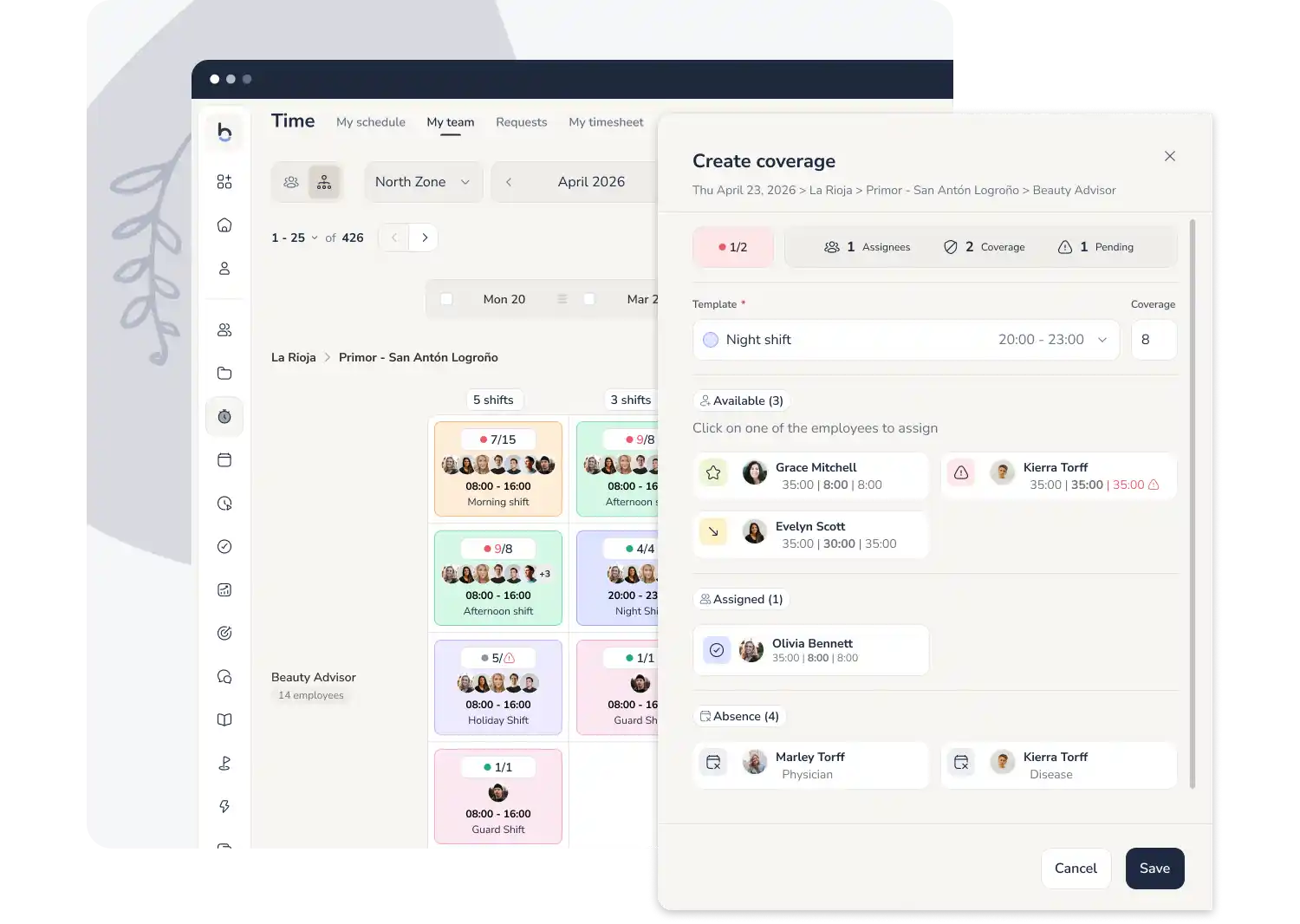
Shift coverage by role and location
Check in one click if you have enough staff with a visual planner that shows, by role and location, how many employees are needed, how many are assigned, and how many remain available.
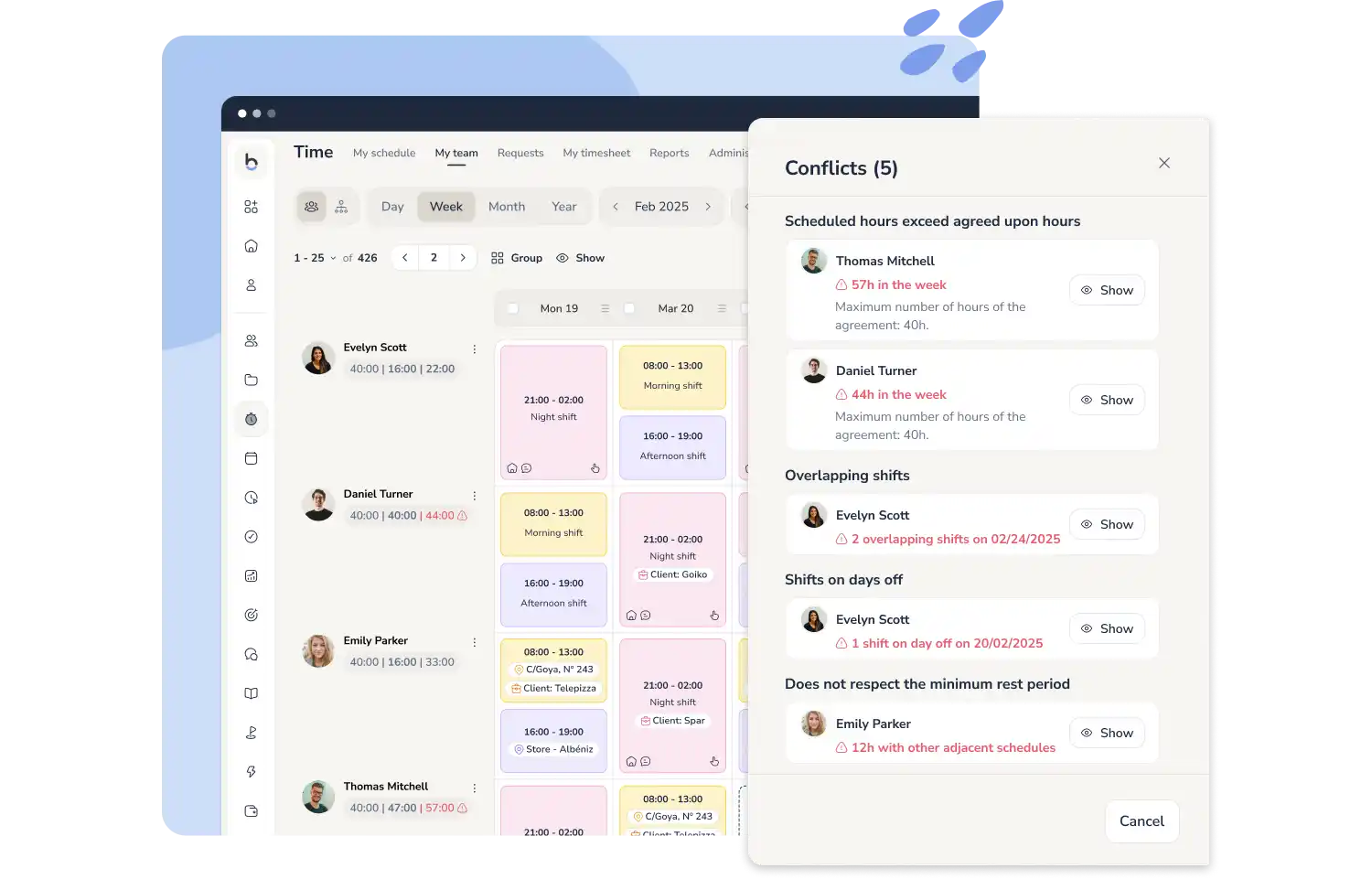
Shift and Schedule Conflicts
Bizneo HR automatically flags shift assignment conflicts—like exceeding weekly or monthly hour limits, missing required rest periods, or overlapping with approved time off—while ensuring compliance with the employee’s collective labor agreement.
Alerts for exceeding weekly or monthly hours under the labor agreement
Detection of minimum rest periods not respected between shifts
Warnings if the shift overlaps with approved vacations
Conflicts do not block shift publication
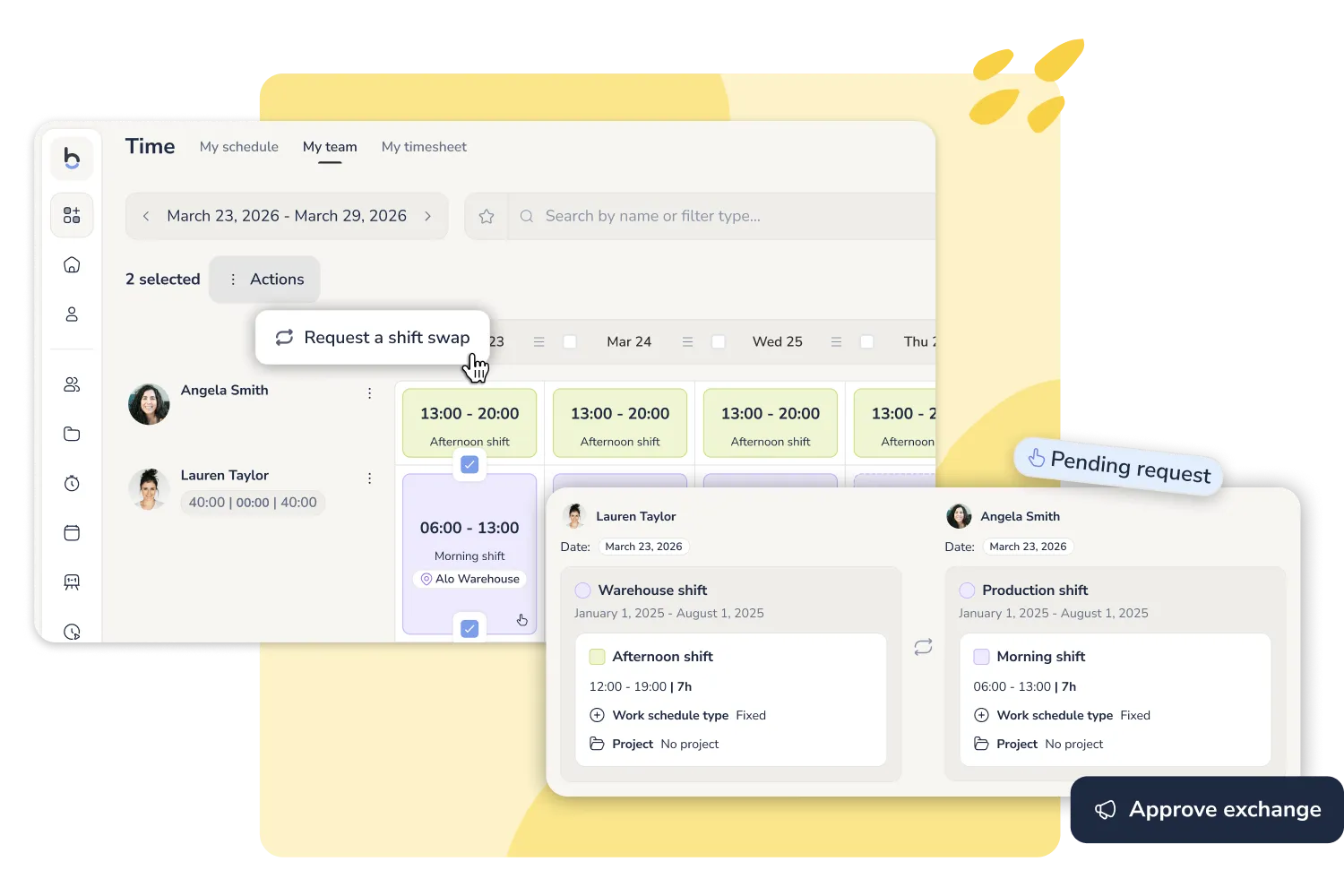
Self-service shift changes
Fewer calls, fewer WhatsApp messages, fewer schedules to update manually. Employees propose a swap straight from the platform.
You receive the request with a visual before-and-after comparison of the shifts, and decide in one click. You keep control, without the manual admin.
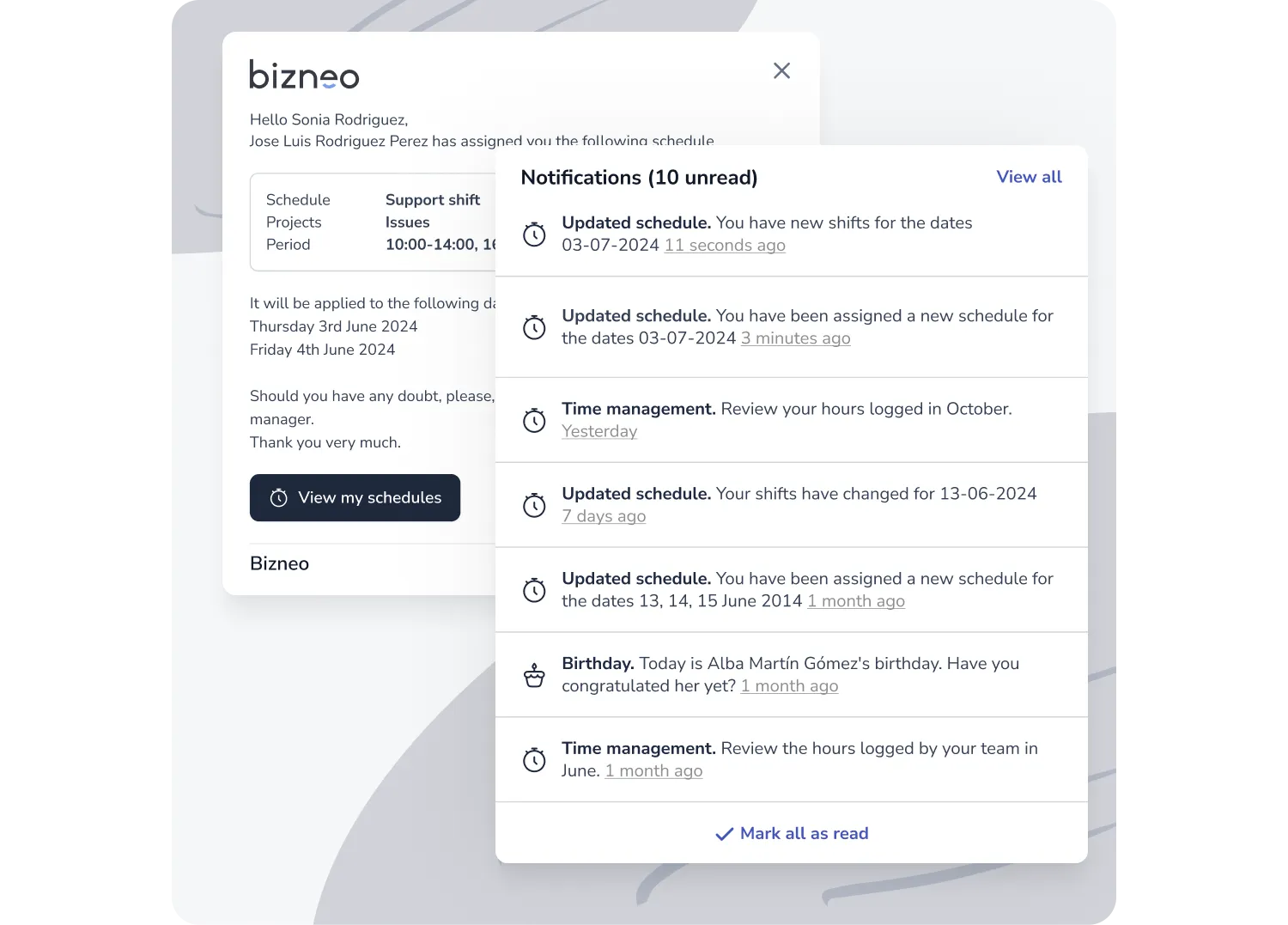
AUTOMATED SHIFT NOTIFICATIONS
Communicate schedule changes instantly to your workforce with automated alerts for published or modified shifts.
Our shift management software detects conflicts and notifies managers in real time:
SHIFT SCHEDULING APP
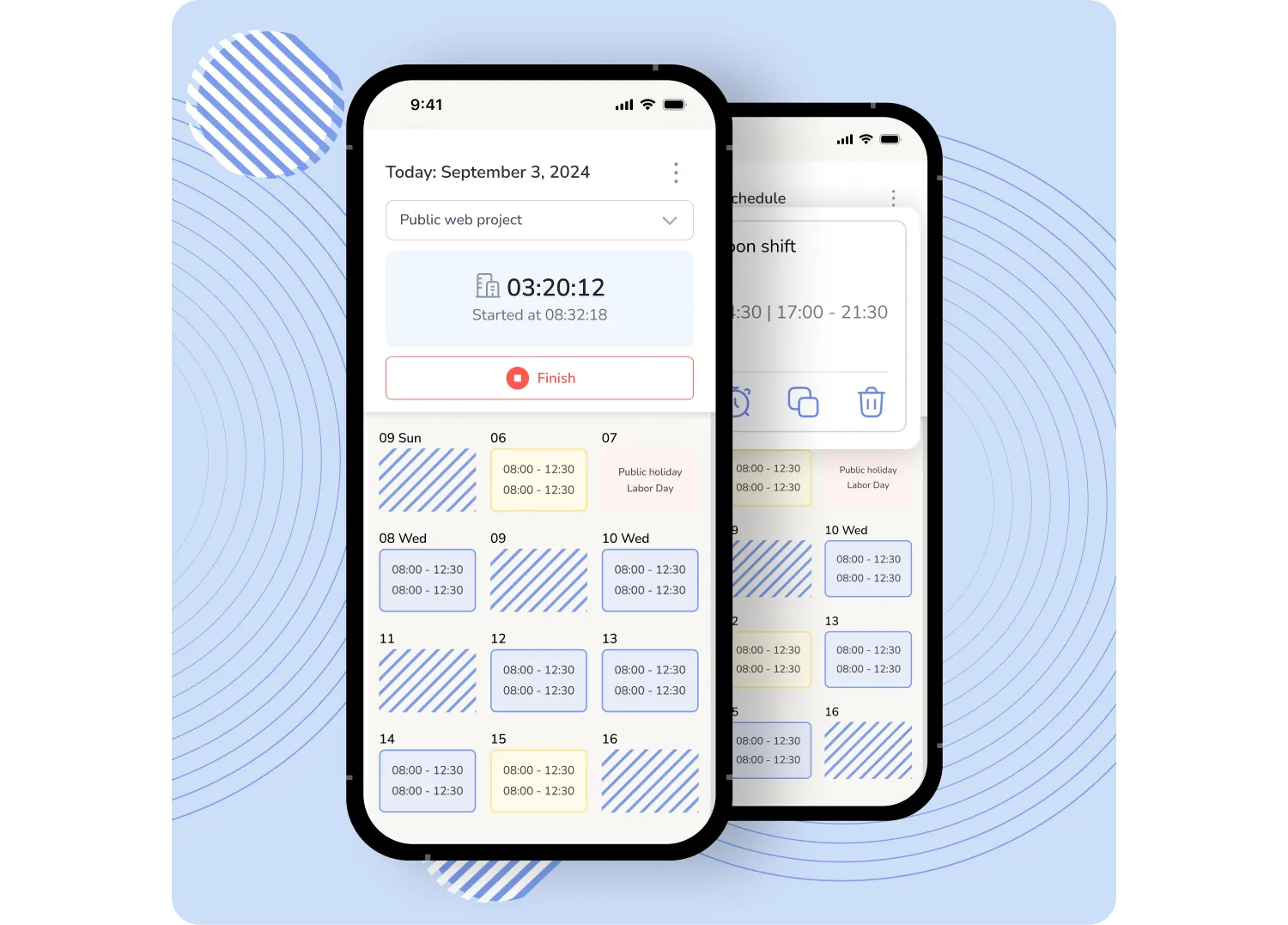
Reduce misunderstandings and scheduling issues with shift scheduling software that improves coordination and clarity. Always know who’s working and when.


COMPLIANT WORK SCHEDULES
Stay compliant with labor laws and contractual working conditions by keeping legally valid records.

Start optimizing your entire time management system, vacations, time tracking, and shifts, all in one place


