TheteambehindBizneoisexceptional,alwaysreadytohelpandimprove.Theplatformiseasytomasterinashorttime.

Log billable hours from your team's real time tracking and get the exact cost per project, client and role.
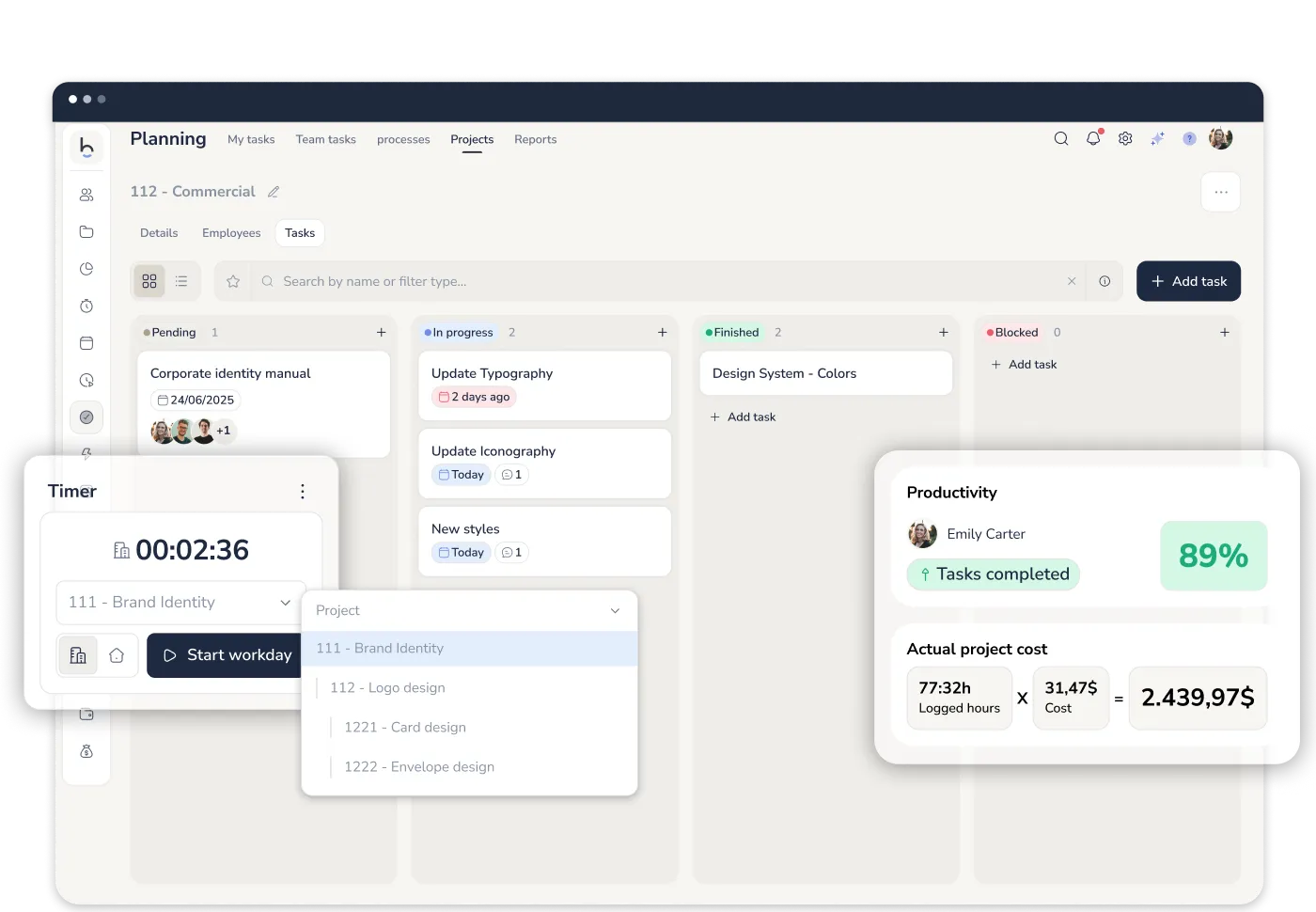








Real cost
Per project, client and task type — no estimates

Fully connected
Time tracking, shifts, absences, collective agreements, expenses and payroll in one platform

Real-time visibility
Track every project's progress without status meetings
From time tracked to productivity and cost
Other project management tools ask your team to log estimated hours. Bizneo starts from the data already recorded: the hours your team clocks every day. From there it calculates what other platforms can only estimate.
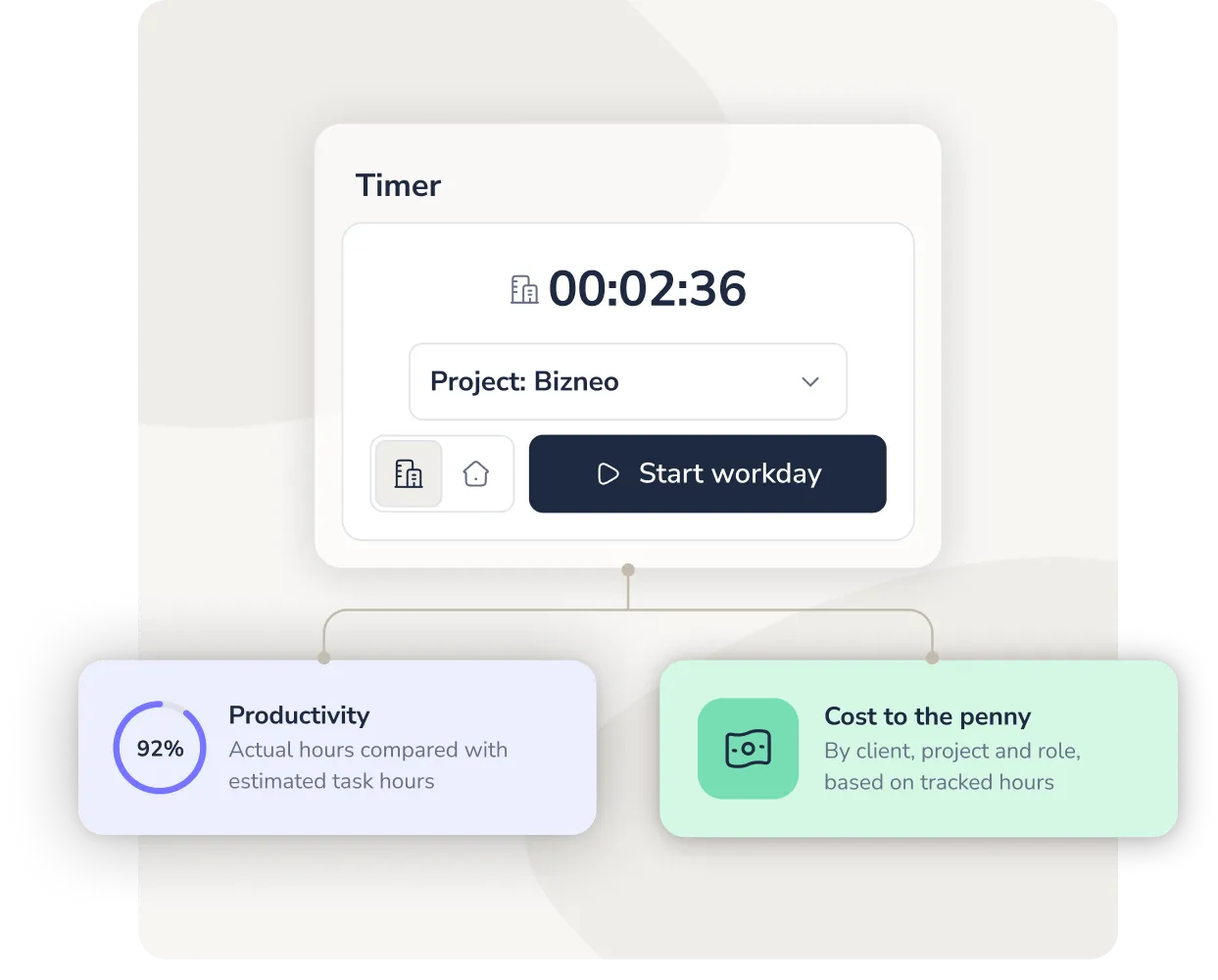
Bizneo is the only platform that calculates the real cost of a project without leaving the time tracking system your company already uses. If you want to track every hour to the penny, nobody does it better.
Productivity and workload
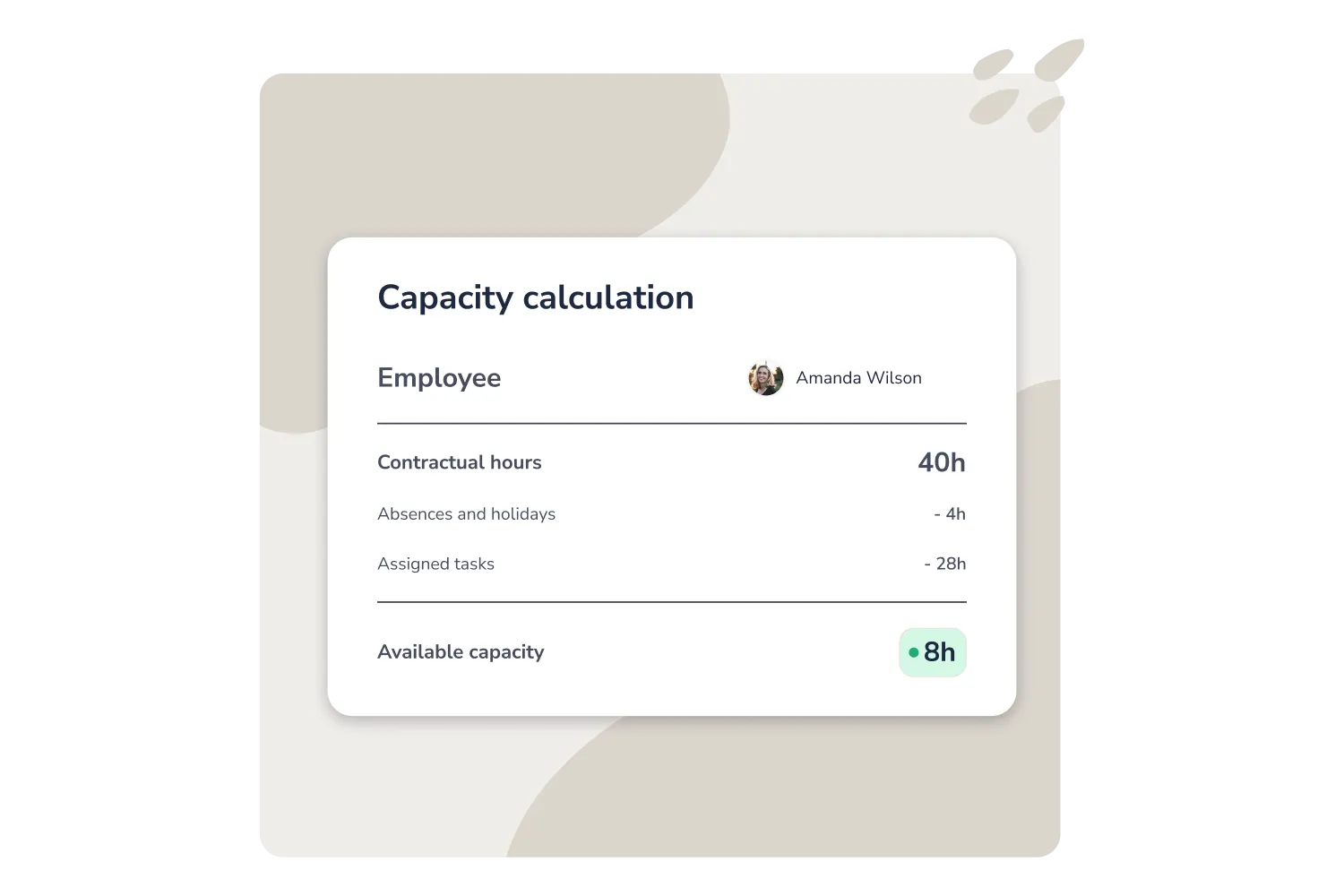
A new project lands on Monday. Who picks it up? Bizneo tells you before you even ask: real capacity per person, week by week.
Real capacity calculation
Bizneo automatically compares each person's weekly contracted hours against the estimated time of their assigned and completed tasks. It deducts absences, holidays and non-working time. The result is an accurate picture of who is at full capacity and who can take on more.
Project cost and profitability
A single time entry feeds your timesheet, project costs and project variances, with no manual estimates required. If your consultancy charges €80/hour, you set the price; Bizneo automatically calculates the cost based on salary, agreements, absences and expenses.
Timesheet
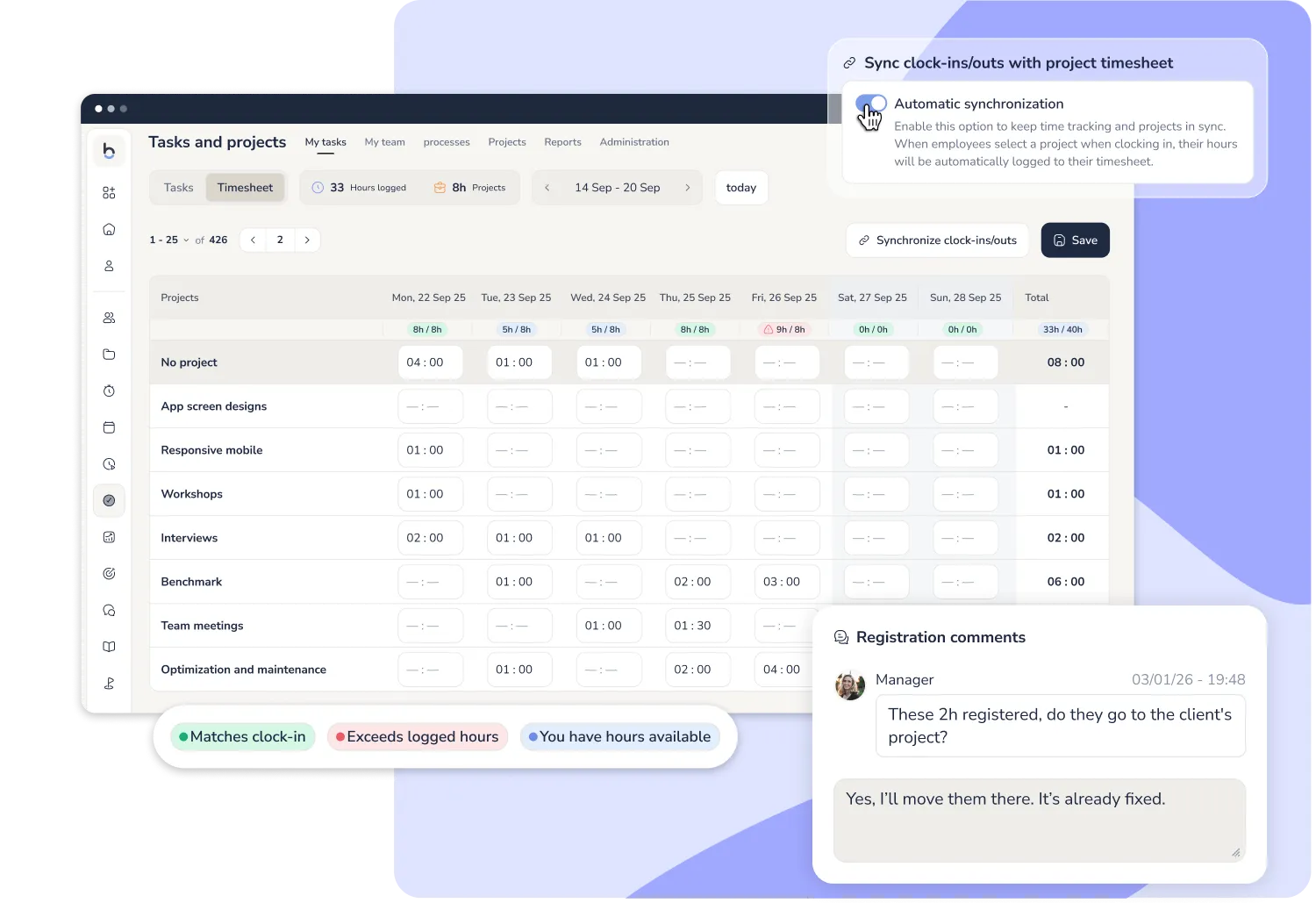
A table showing all hours spent on each project and client, per employee. It syncs automatically with time tracking entries and can be edited without affecting the original attendance record.
Project and task planning
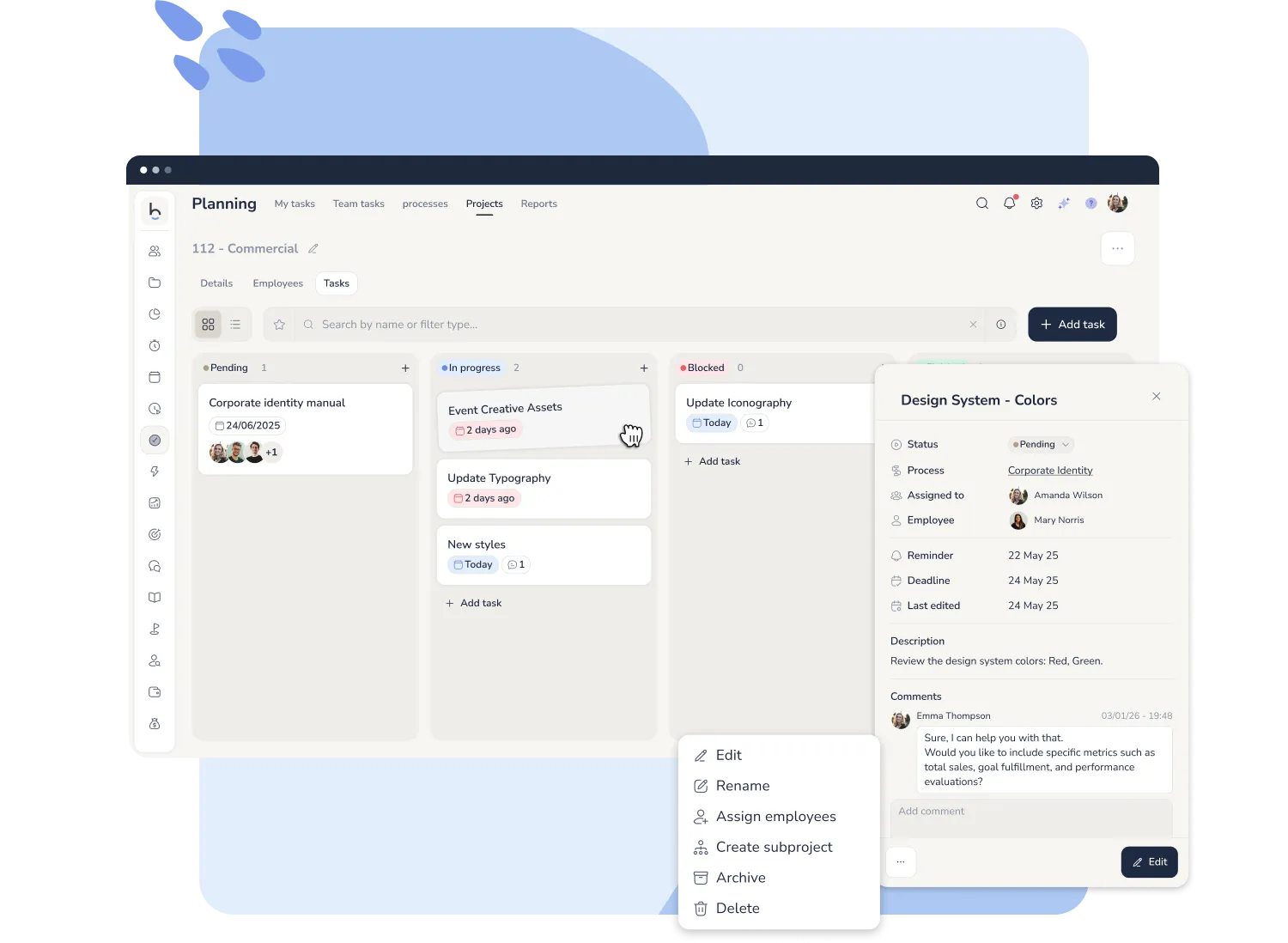
The Project Manager organizes 10 people and 5 accounts on a board where every task has an owner, a deadline and a client — visible to the entire team.
Kanban board
Everyone knows what to do, by when and in what order. Tasks move between columns as they progress. The Project Manager has full pipeline visibility without chasing anyone on chat.

Effective working-hours rules

Agreements, flexibility & courtesy time

Absences & holidays

Associated expenses

Salaries per role
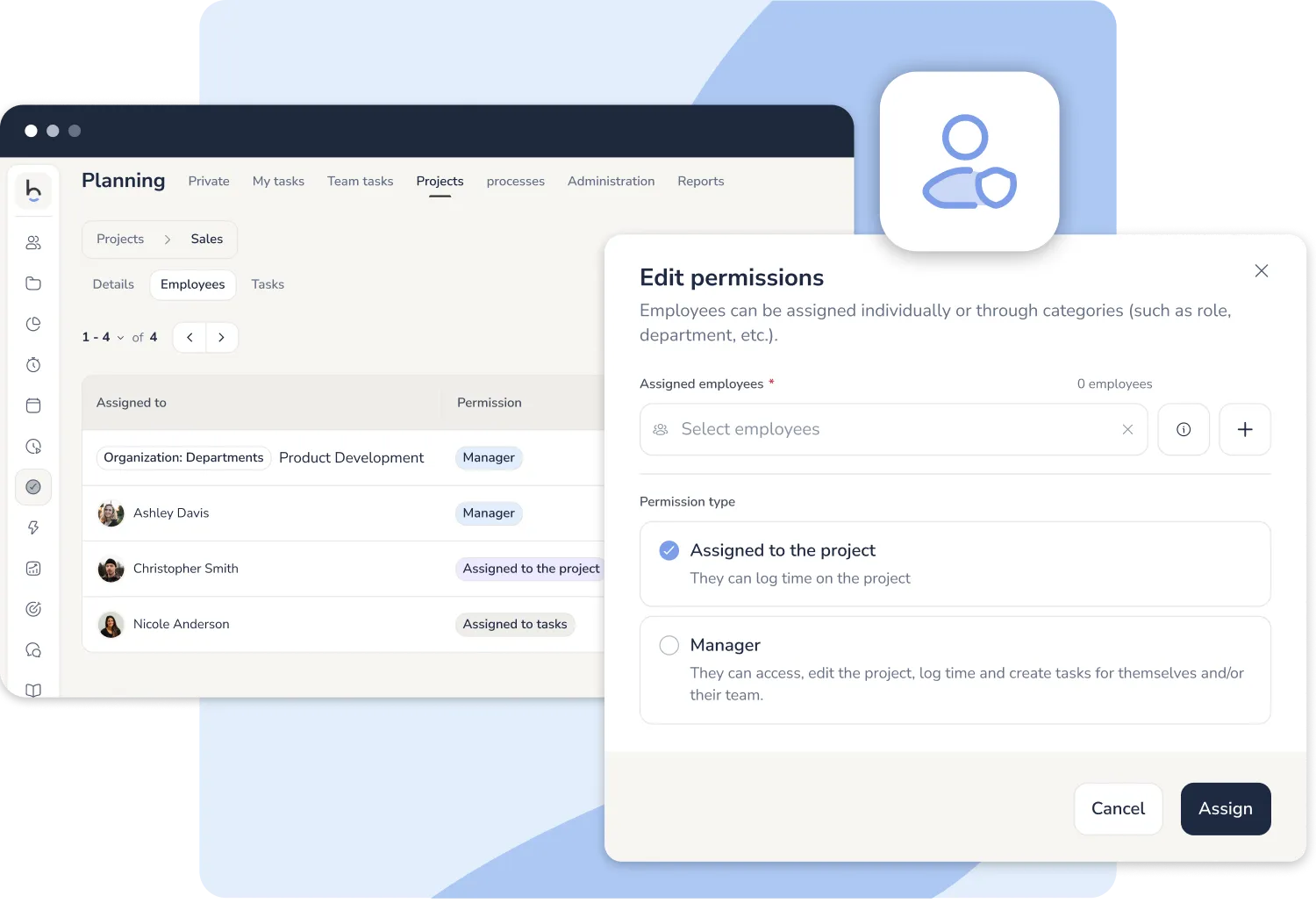
Project configuration and permissions
Granular roles, dedicated project owners and bulk imports for large rollouts: configuration adapts to your company, not the other way round.
Is it for your company?
Bizneo adapts to both models of project-based work
A law firm planning office tasks and a facilities company billing on-site hours have very different needs. Bizneo covers both from the same platform.

Office teams that work by tasks
Consultancies, law firms, accountancies, agencies and professional services. They work by tasks and need the team occupied without being overloaded, with traceability on every deliverable, clear deadlines and fluid communication across roles.

On-site services that bill by the hour
Cleaning, security, facilities, maintenance, retail and field operations. The team doesn't drag tasks across a board: they clock in at the client site, follow their schedule and the company measures what each hour spent on each client actually costs — to know the exact margin.
One project management tool, connected to time tracking, payroll and your entire HR stack. Every hour comes with its real cost already calculated — no one has to work it out separately.



 +34 910 19 48 00
 +33 1 89 70 13 63
 +39 010 685 1283
 +351 308 810 868
 +54 11 3991 2872
 +55 (11) 5116-0082
 +57 601 7702977
 +52 55 7100 2673

 Linkedin
 Youtube
 Instagram